
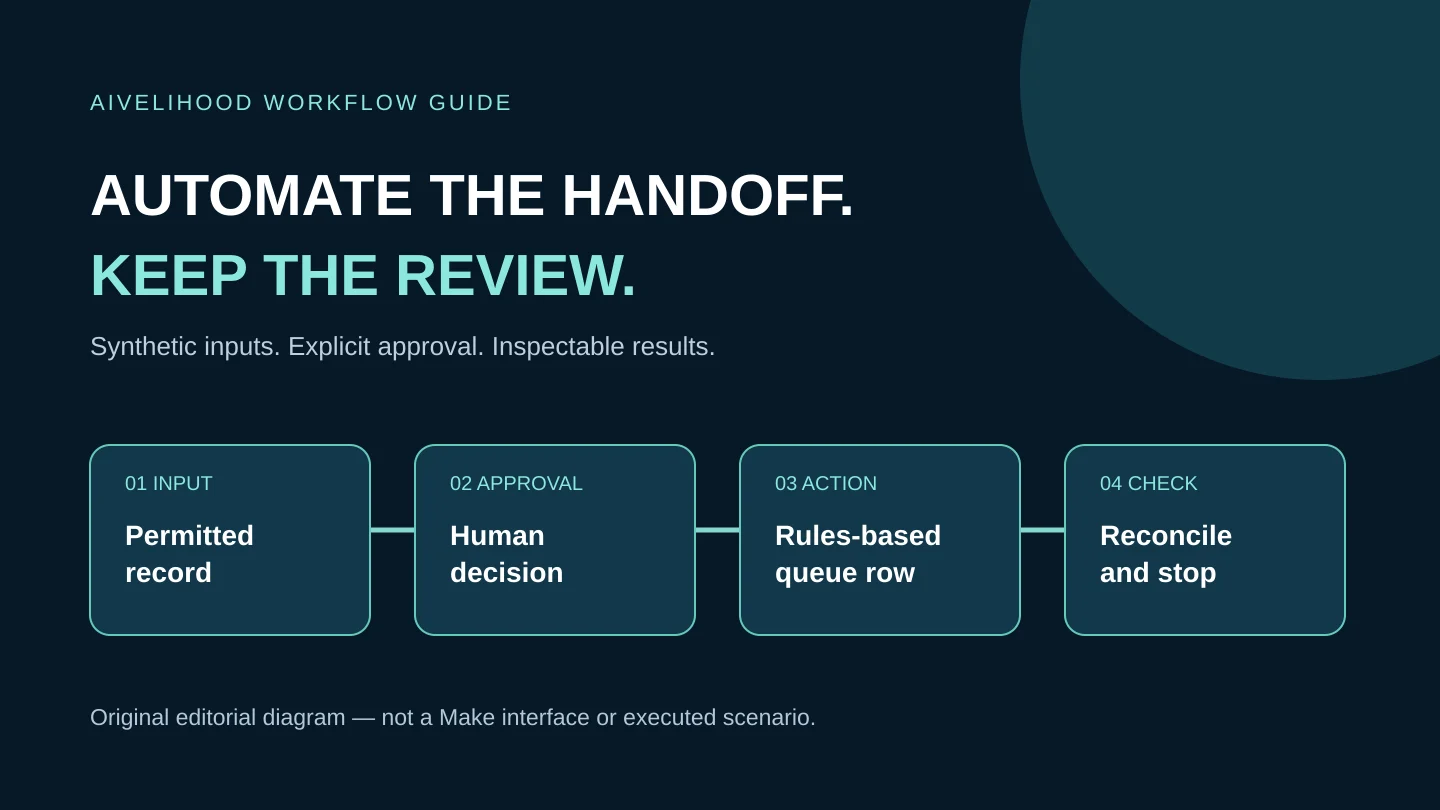
The first intake automation should move an approved request to a place where you can review it, not send promises to a prospective client. This exercise copies one fictional row from an input sheet to an internal queue and records that the request was staged.
The safety boundary is deliberate: manual approval, a manual destination-ID check, one Run once execution, and no client email, payment, scheduling, or AI-generated decision. Read the Make starting guide for freelancers first if connections, credits, or scenarios are unfamiliar.
Know what this exercise does not automate
The scenario searches for a row a person has marked READY, checks required fields, adds an internal review-queue row, and updates the original row. The human checks the target for an existing request identifier before starting. That duplicate check is not secretly automated, and separate spreadsheet writes are not one transaction.
If your goal is an unattended public form, client notification, or a live CRM integration, this is only a learning foundation. Those systems need a separate review of consent, access, concurrency, retries, monitoring, and service ownership. The automation decision framework helps identify that larger boundary.
Prepare two sheets with a stable request ID
Use a dedicated Google test account and two new spreadsheets with headers in the first row. Name them Intake Practice and Review Queue Practice. Do not copy a real intake export, personal contact list, email address, or client brief into them. A fictional request needs only enough detail to test mapping.
| Sheet | Columns | Example row |
|---|---|---|
| Intake Practice | request_id, service, summary, approval, state | SYN-001; transcript cleanup; fictional three-minute sample; HOLD; NEW |
| Review Queue Practice | request_id, service, summary, review_state | Leave empty below the header until the first authorized practice run |
Treat request_id as immutable. Do not generate a new ID every time a run fails, because that hides a repeated request. Record which source row belongs to it, but do not use the row number as the durable identity: sorting or inserting rows can move it.
Start with one input row and approval HOLD. Later, a person will mark that single row READY. Keep all other practice rows on HOLD. Save a copy of both sheets before each case so you can compare before and after without erasing evidence.
Connect the test account and keep execution on demand
Create a new Make scenario and connect Google Sheets using the current connection flow. Review the requested permissions before approving. Make's documentation includes configurations requesting spreadsheet and Google Drive scopes; choosing one file later does not mean the connection can access only that file. If the account contains material you cannot expose to those permissions, stop and use an appropriate isolated account.
Set execution to on demand and leave recurring scheduling off. Make documents Run once as one way to trigger an on-demand scenario. That does not make it a sandbox: a Run once action can still write to every service you connect. Confirm that both selected files are the practice copies before continuing.
Do not add Gmail, a webhook, payment services, or AI modules. Client-intake data does not need an AI classification step for this exercise. Keep connection credentials out of screenshots, notes, source files, and shared portfolio material.
Search for an approval value, not a new-row event
Use the standard Google Sheets Search Rows module for Intake Practice and its sheet. Select the actual header row and search the approval column for the exact value READY. Use the ordinary Search Rows module, not Search Rows (Advanced): the documented advanced variant does not return the row number needed for the later source update.
Add a filter after the search. Permit continuation only when state equals NEW and request_id, service, and summary are present. Keep only one READY practice row so the run has one permitted candidate. Check how your current module represents headers, values, and returned row numbers instead of typing an assumed output path.
With the row still on HOLD, inspect the search behavior. No matching row means no eligible work; do not add a fallback that creates an empty queue entry. A Watch New Rows trigger is not a substitute: changing an existing row from HOLD to READY is an update, not a new insertion.
Check the target ID before you allow the write
Before each Run once execution, search the Review Queue Practice request_id column for the source ID. This is a manual preflight check in the practice sheet. If SYN-001 already exists, do not run the Add a Row path. Compare its service and summary with the source and investigate the previous attempt.
If the target contains no such ID and the input is complete, mark the single source row READY and leave state NEW. Record the target-ID check in your practice notes. Do not change or add rows while that run is active, and do not start a second execution in another tab.
A beginner diagram often shows Search Rows, then a router that adds when nothing was found. Do not copy that without verifying the module's no-result behavior: zero bundles may stop downstream processing rather than reach a missing-result branch. This tutorial does not invent a continue-on-empty control or claim automatic deduplication. An unattended version needs its own verified duplicate-control design.
Map Add a Row to the internal review queue
After the required-field filter, add Google Sheets Add a Row and select Review Queue Practice. Map request_id, service, and summary from the original Search Rows result. Set review_state to NEEDS_REVIEW. Do not substitute invented values for missing fields, and do not map approval or state into the client's requested service by accident.
The destination is an internal staging record, not acceptance of the job. Its label should not say CONFIRMED, PAID, or SENT. The module's documented role is to append a row; that does not verify the business meaning or protect against every concurrent writer. Preview the mapping against the headers before running the complete sequence.
Update the original source row only after the append
Place Google Sheets Update a Row after Add a Row. Select Intake Practice, not the queue. Map its row number from the first Search Rows result, never from the newly added destination row. Preserve request_id, service, summary, and approval from that source, and change state to STAGED.
Review every mapped column so blank values do not unexpectedly erase information. Keep the source sheet unsorted and unchanged during this exercise. A row number is a location at a moment in time, not a concurrency lock. Do not map STAGED before the append, because that could hide a request that never reached the queue.
After a successful manual run, compare both records by request_id. The queue should contain the agreed values and NEEDS_REVIEW; the input should show STAGED. Return its approval to HOLD before preparing another case. This is a review checkpoint, not evidence that any client message or real transaction occurred.
Inspect failure cases before calling the exercise complete
| Case | Expected behavior | Evidence to keep |
|---|---|---|
| Approval remains HOLD | No eligible record is appended | Search result and unchanged target |
| READY but missing summary | Required-field filter prevents the write | Rejected input and target count |
| Complete single READY/NEW record | One matching queue row; source becomes STAGED | Field-by-field comparison |
| ID already in target | Manual preflight stops the run | Existing record and reconciliation note |
| Append succeeds; source update fails | Stop; inspect both sheets before any retry | Destination ID and module error |
Do not cause errors against real accounts or delete live data to make a test convincing. Record expected behavior separately from actual observations. If you cannot reproduce a failure safely, mark it NOT VERIFIED; a plausible explanation is not a passing test.
Recover a partial result without blindly replaying it
If Add a Row succeeded but Update a Row failed, leave scheduling off. Find the request ID in the target, compare every mapped value, and inspect the source. If the target is correct, record the failed status update and reconcile the source deliberately. If it is wrong or duplicated, preserve the evidence and agree a correction before processing anything else.
Do not simply reset state to NEW or generate SYN-002 for the same request and rerun the whole scenario. That disguises rather than resolves the uncertainty. If no target record exists, establish why before deciding whether a new manual attempt is safe.
Make's error-handling documentation describes retry and incomplete-execution options with configuration and storage conditions. They do not make this multi-module workflow atomic or prove exactly-once delivery. Do not enable automatic retry merely to hide an error. Concurrent runs, other sheet writers, or ambiguous API outcomes require a stronger design than this manual exercise.
Record what you learned before considering live intake
Save the field map, module sequence, permissions reviewed, actual test results, credit usage, open failures, and stop procedure. This provides a useful learning artifact without claiming a paid client. For live work, separately review input collection, privacy notice, consent where applicable, access revocation, monitoring, duplicate prevention, and responsibility for corrections.
If you can inspect that narrow practice scope, Evaluate Make for this controlled intake exercise.
This is a Make affiliate placement; AIvelihood may receive a commission from a qualifying purchase. It does not certify that this exercise fits your accounts, plan, or client obligations. Read the Affiliate Disclosure. Do not purchase a larger plan before checking whether the smallest available option supports the practice.
Method: official-source desk research checked October 18, 2026. Module controls and permissions can change. This is not an observed product test, a production launch checklist, or a guarantee of error-free operation.
Frequently asked questions
Why not use Watch New Rows for the approval gate?
Approval changes an existing row. Do not assume a new-row trigger observes that update. This exercise explicitly searches for READY during a manual run and keeps a separate required-field filter.
Is duplicate prevention fully automated here?
No. A person checks the destination identifier before each Run once execution. Do not use this manual practice boundary for unattended intake or claim exactly-once delivery.
Can I use the queue to email the client automatically?
Not within this exercise. The queue is an internal draft awaiting review. Client sending, acceptance, scheduling, contracts, and payments require separately approved requirements and controls.
What if a module option differs from the article?
Pause and check the current official documentation and your test account. Do not guess a row-number field, connection scope, empty-result behavior, or retry setting. Record the gap as unverified until it is resolved.