
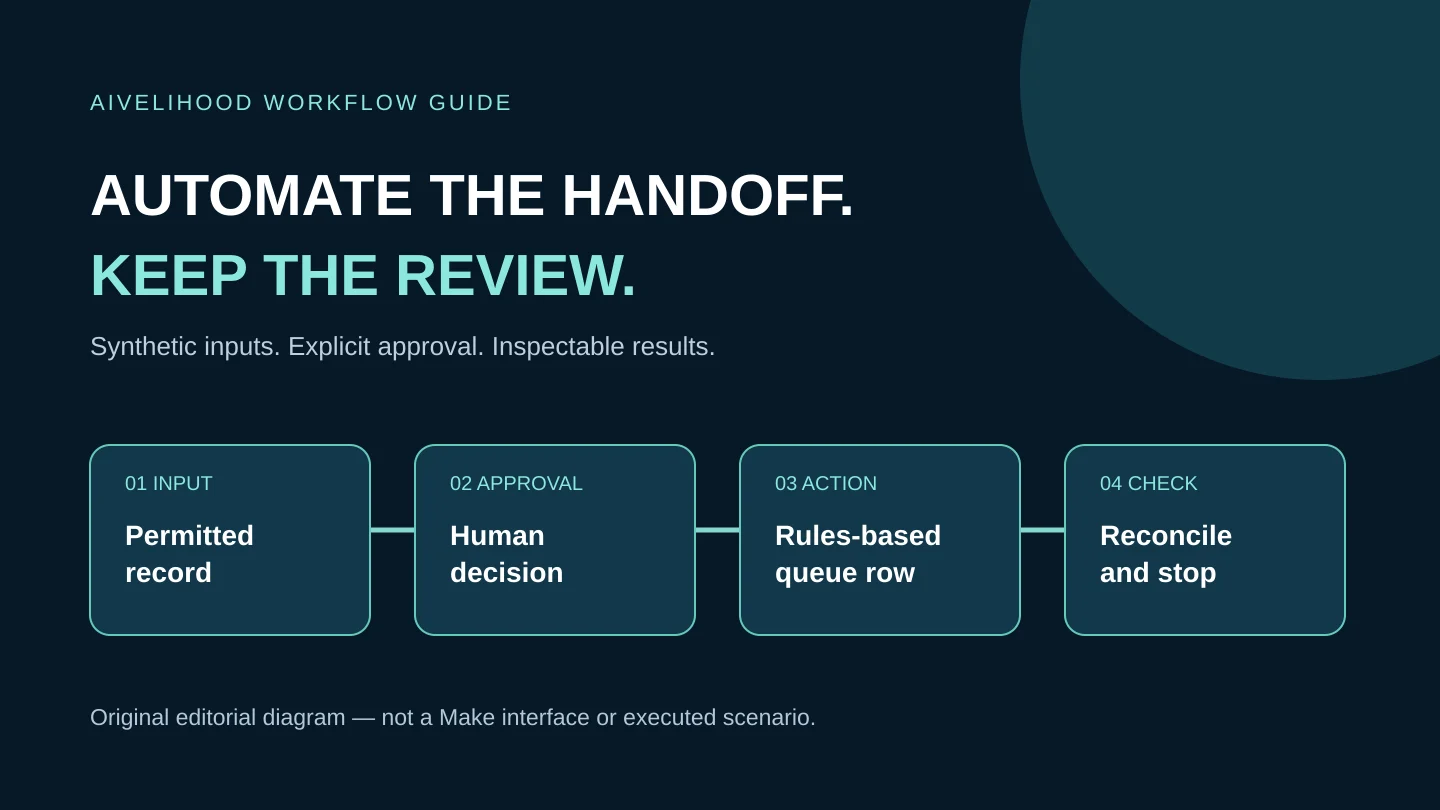
A client brief arrives, you copy it into a sheet, create a task, and later discover that the same request was entered twice. Connecting the apps is not the hard part. Deciding what counts as one request, what can run twice, and who checks a failure is the real automation work.
This learning path is for freelancers organizing their own low-risk administration before offering automation to a client. It helps you choose a first workflow and a stopping point. It is not a list of automated income ideas, a Make review, or a substitute for permission to use a client's systems.
The examples are documentation-based editorial designs, not scenarios we have run in Make. Use synthetic records in a separate sheet. No client information, paid AI model, or live customer message is needed to learn the basic control pattern.
Separate predictable rules from AI judgment
Automation moves or changes information according to defined conditions. AI can propose a classification or draft, but that output can be wrong even when the connection succeeds. Do not add an AI step to a workflow that only needs a status check and a copied identifier.
For example, putting an approved request into a work queue can be rules-based. Asking a model to decide whether a client has granted copyright permission is not an adequate permission check. An AI summary may help a person read a brief; it must not silently become an approved quote, scope, or contract.
| Task | Reasonable first approach | Keep a person responsible for |
|---|---|---|
| Copy an approved request to a queue | Explicit status, stable ID, duplicate check | Permission and acceptance of the request |
| Turn one approved source into content drafts | A source map and manual review first | Facts, reuse rights, tone, publication |
| Quote a new client | A worksheet, not unattended pricing | Scope, assumptions, price and commitment |
| Delete files or send payments | Not a beginner pilot | Authorization and irreversible consequences |
Choose a workflow you can inspect and undo
Write the current process before drawing a scenario. Identify the input owner, the rule, the destination, and the failure owner. If two people interpret the same status differently, fix that ambiguity before adding software.
Choose a task you actually repeat, with a stable input format and a reversible output. A task that happens twice a year may not justify setup and maintenance. A frequent task can still be unsuitable if a mistaken action exposes a client's information or creates a financial commitment.
Pass these gates before connecting accounts
- You can describe the trigger and the completion condition in one sentence.
- Every input has a stable request ID and a clear permission status.
- You know how to detect a duplicate and reconcile a partial run.
- A named person can pause the workflow and complete the task manually.
- You can practise with fictional records without sending customer messages.
- You have agreed what information may leave each system and who can inspect run history.
Follow the route that matches your next decision
| Your question | Read next | What it enables |
|---|---|---|
| Which steps are suitable for automation? | This overview | Select or reject a low-risk pilot |
| How does Make fit my freelance work? | The Make beginner guide linked below | Understand connections, modules, costs and review boundaries |
| How would I structure an intake queue? | The Google Sheets tutorial linked below | Build and check a specific fictional example |
Start with how to use Make for freelancers if you need the product vocabulary and a selection framework. Then follow the Make and Google Sheets intake tutorial for a bounded design with test cases, duplicate checks, and a manual fallback.
If you do not yet have a service to deliver, begin with the AI freelancing roadmap. Adding automation before defining the deliverable makes the process faster to run, not necessarily more useful. For writing and media work, use the repurposing service workflow to establish source permission and review before automating a handoff.
Make is one option, not the starting assumption
Make documents a visual scenario model that connects app modules. Its usefulness depends on the particular actions, permissions, plan limits, and failure handling your process needs. A supported app logo does not prove that every feature of that app is available through an integration.
A manual spreadsheet and checklist can be the right solution while requirements are changing. An existing app's built-in rule can avoid another provider connection. Compare the exact trigger and action you need before comparing automation platforms. The task-based AI tools guide provides a wider tool-selection framework.
Do not choose a product because its affiliate program pays a commission. Check the live official Make plan information and your proposed run volume. Include polling, repeated records, errors, and manual monitoring in your decision; a free plan is not a promise of zero effort or unlimited use.
Learning automation and buying an automation service are different
A freelancer learning a skill needs a small fictional example and an explanation of failure modes. A business buying implementation needs an agreed scope, least-privilege access, acceptance tests, maintenance responsibilities, and a way to stop the system. Do not confuse a working demo with a supported production service.
Use the automation freelancer hiring guide if you are buying help rather than learning. A buyer should ask what happens after a revoked connection, a partial write, or a changed spreadsheet column—not only whether the happy path runs.
Before calling a pilot ready for real work
- Run a valid record, an incomplete record, a repeated ID, and a deliberately interrupted run.
- Check the actual destination instead of relying on a green success indicator.
- Record the tested version, permissions, remaining risks, and how to disable scheduling.
- Obtain client approval before using real data or expanding side effects.
- Keep a manual route available and agree who reviews exceptions.
Official sources and evidence boundary
Official documentation was checked on October 18, 2026. The choice framework, risk gates and fictional queue are AIvelihood's editorial analysis. We have not run this design in Make or verified an account's permissions, plan eligibility, or results.
Official sources to recheck
Frequently asked questions
Do I need AI in every automation?
No. A rule-based queue or handoff often needs no AI model. Add generation or classification only when it serves a defined need and a person can review important errors.
Can a beginner sell a workflow after following one tutorial?
A tutorial is practice, not proof of production competence. Client work also needs permission, acceptance tests, failure handling, maintenance, and an honest account of what you have actually tested.
Has AIvelihood tested these Make scenarios?
No. This learning path and its companion guides are based on official documentation and labeled illustrative designs. They are not hands-on product reviews or evidence of time savings, client demand, or income.