
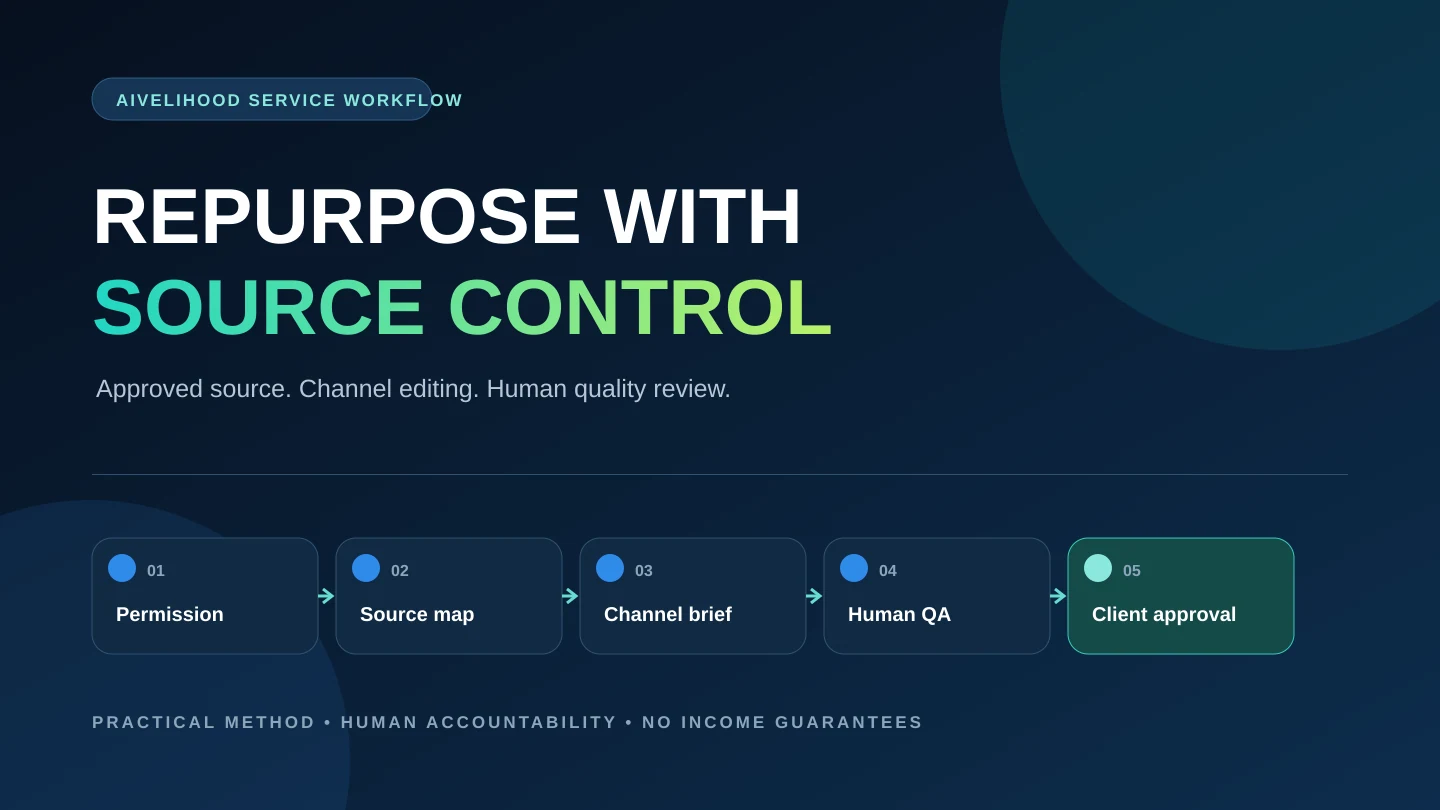
If you are buying this work rather than offering it, use the AI freelancer buying checklist to turn the workflow below into a brief and a paid pilot. For a recurring system that connects your tools, first review automation scope, access, and handoff checks.
Content repurposing is not a shortcut for copying one transcript into several templates. A client is paying for careful transformation: preserving the source meaning, selecting what matters for a new audience, adapting the structure to each channel, and checking every deliverable before it leaves your hands.
A beginner can practice this service without promising strategy, reach, or revenue. Start with one source type and a small package you can inspect end to end. For example, an approved interview transcript might become one article outline, a short email draft, and five social-post drafts. The deliverables are visible; the business result remains uncertain.
If you have not chosen a service yet, use the first-service decision framework or compare 15 AI-assisted services with clear deliverables. If repurposing fits your skills, this guide shows how to turn it into a scoped, reviewable workflow.
Define the service before choosing tools
Content repurposing turns client-approved source material into new deliverables for defined audiences and channels. The source might be an interview, webinar, podcast, article, report, presentation, or long video. The output might be an outline, email, social-post set, short script, carousel copy, show notes, or a cleaned transcript.
The useful boundary is transformation from a controlled source. You are not automatically offering original subject-matter research, brand strategy, publishing, audience growth, legal review, or performance reporting. Those can be separate services only when you can scope and deliver them responsibly.
Write the offer as a source-to-output sentence: I turn [approved source] into [specific deliverables] for [specific channel or audience], including [review standard]. An illustrative version is: I turn one client-approved webinar transcript into a source-linked article outline and five edited LinkedIn post drafts, with names, claims, and calls to action checked against the source.
Source
One permitted source type you can receive, organize, and review without bypassing platform or rights restrictions.
Outputs
A fixed number of named deliverables with visible formats, length ranges, and file types.
Audience
The reader, viewer, or subscriber each output is written for, including their expected knowledge.
Review
The checks you perform for meaning, facts, voice, rights, privacy, accessibility, and formatting.
Boundary
Work not included, such as publishing, original research, performance guarantees, or unlimited revisions.
Choose a small source-to-deliverable package
A first package should be narrow enough that a client can understand what arrives and you can estimate the complete work. Avoid a menu such as “turn anything into everything.” Different sources create different review burdens, and every output channel has its own structure.
Use the table as a decision aid, not a price list. Start with the row that matches your existing editing ability and the material you can practice with legally.
| Source | Possible small package | Main skill | Primary quality risk |
|---|---|---|---|
| Interview transcript | Article outline + five social drafts | Extracting themes and preserving speaker meaning | Misquoting, removing context, or inventing a conclusion |
| Client-owned webinar | Summary email + three short scripts | Adapting one idea to different attention levels | Missing important visuals, claims, or audience assumptions |
| Existing article | Newsletter draft + carousel copy | Condensing without flattening the argument | Copying language too closely or changing the position |
| Podcast episode | Show notes + topic clips list + social drafts | Navigating long, conversational material | Speaker attribution, timestamp, and quotation errors |
| Internal presentation | FAQ draft + onboarding summary | Turning slides into usable explanatory content | Confidential data, unsupported interpretation, or outdated information |
Do not include publishing in the first package unless the client supplies access through an approved process and you can test the final channel safely. Draft delivery keeps the responsibility clear: the client reviews and approves before publication.
The AI freelance pricing framework explains why the quote must include intake, source review, production, human editing, communication, revisions, and handoff—not just the seconds required to generate a draft.
Run a permission and privacy gate before accepting files
The safest workflow begins with questions, not an upload. Confirm who owns or controls the source, whether every speaker or contributor can be repurposed as requested, where the outputs may appear, and whether names, quotations, logos, music, images, or confidential details require special handling.
A link to a public video is not the same as a client-supplied source file plus permission. YouTube's copyright guidance notes that copyright owners decide who may use and distribute their content, while its terms do not grant users independent rights to reuse uploaded content outside the service. Ask the client for an approved source or transcript instead of bypassing a platform download restriction.
Before putting client material into an AI tool, check the client agreement, tool terms, account type, data controls, retention, access, and deletion options. OpenAI's current terms require users to have the rights and permissions needed for inputs and to evaluate outputs for accuracy and suitability. Its Data Controls documentation explains that consumer users can choose whether new conversations help improve models. Those settings do not replace client permission or a suitable business-data process.
- The client identifies the source owner and confirms authority to request the transformation.
- The allowed channels, audience, territory, timing, and commercial use are recorded.
- Speaker names, quotations, client claims, third-party media, logos, and music are flagged for review.
- Confidential, personal, contractual, or unpublished material is removed or handled only through an approved process.
- The chosen tools and account settings match the client's data-handling requirements.
- The client names a reviewer who can approve meaning, claims, voice, and final publication.
Build a source map before drafting
A transcript is raw material, not a reliable outline. Automated transcription can miss names, numbers, specialized terms, speaker changes, and punctuation. Video can also contain essential charts, demonstrations, or on-screen text that the audio does not explain. W3C guidance distinguishes a basic transcript from a descriptive transcript that includes meaningful visual information.
Read or watch the source once for structure. Then create a source map with timestamps, sections, verified claims, memorable phrasing, audience questions, required caveats, and uncertain items. The map becomes the evidence layer for every deliverable.
| Field | What to record | Why it matters |
|---|---|---|
| Source location | Timestamp, page, slide, or paragraph | Lets the editor and client trace a draft back to evidence |
| Main point | The idea in neutral language | Prevents a polished draft from drifting away from the source |
| Exact wording | A quotation only when wording matters | Supports accurate quotation and attribution checks |
| Support status | Verified, client claim, opinion, or unresolved | Stops uncertain material from becoming an unqualified fact |
| Visual context | Chart, demonstration, label, or on-screen correction | Captures meaning that a plain transcript may omit |
| Output fit | Article, email, social, script, or omit | Connects evidence to a real channel purpose |
Do not ask AI to summarize the entire source before you understand it. That order hides omissions. Build the source map first, then use AI on selected, permitted passages with clear instructions and visible traceability.
Use AI for transformation, not final judgment
AI can help cluster source-map entries, propose channel structures, produce alternatives, shorten sentences, and check whether a draft covers required points. It should not decide what the client meant, create missing evidence, invent a quotation, infer permission, or approve the finished work.
Keep the workflow staged. A single prompt asking for ten outputs at once makes it difficult to see where an error entered the package.
- Step 1
Normalize the source
Correct the transcript, identify speakers, capture visual context, and remove material outside the approved scope.
- Step 2
Map evidence
Record points, locations, claim status, audience relevance, and required caveats before asking for drafts.
- Step 3
Write an output brief
Define the purpose, reader, format, length, voice constraints, call to action, and prohibited claims for one deliverable.
- Step 4
Generate alternatives
Ask for structures or draft options based only on the supplied evidence; keep source references visible.
- Step 5
Edit by channel
Rewrite for the channel's reading pattern instead of trimming the same paragraph into several sizes.
- Step 6
Run human QA
Trace claims and quotations, restore context, check voice, remove repetition, and inspect accessibility and rights.
- Step 7
Package for approval
Deliver labeled files, a source map, assumptions, open questions, and a concise revision path.
Once this workflow is defined, use the content repurposing tool comparison to choose the smallest stack for source navigation, transcript work, clips, writing, visual packaging, and delivery. It includes manual fallbacks and paid-plan triggers rather than a universal ranking.
Worked example: one interview, three deliverables
A fictional operations consultant provides an owned 24-minute interview recording, a corrected transcript, and written permission to create draft marketing content. The agreed package is one 900-word article outline, one 250-word email draft, and five LinkedIn post drafts. Publishing, new research, graphic design, and performance reporting are outside scope.
The source map identifies four useful themes, two client opinions, one statistic that lacks a source, and a story containing a customer name. The freelancer asks for support for the statistic and permission for the name. The client chooses to remove both. That decision is more valuable than generating a confident sentence around uncertain material.
The article outline explains the full process and preserves the interview's sequence of problem, constraint, decision, and lesson. The email uses one lesson and points to the future article. The social drafts each make one narrow point; they do not pretend five unrelated ideas appeared in the interview.
| Deliverable | Reader job | Structure | Final check |
|---|---|---|---|
| Article outline | Understand the complete method | Problem, constraints, sequence, examples, limitations, next step | Every section traces to the source map |
| Email draft | Recognize one useful lesson and decide whether to read more | Focused opening, one insight, short explanation, relevant CTA | No unsupported urgency or invented personalization |
| Social drafts | Understand one point quickly in-feed | Single idea, context, useful detail, restrained next step | Each post stands alone without changing the source meaning |
The package does not claim that the drafts increased reach, generated leads, or matched the consultant's voice perfectly. Those outcomes were not tested. The deliverable is a traceable, reviewed draft set ready for client approval.
Quality-control every output separately
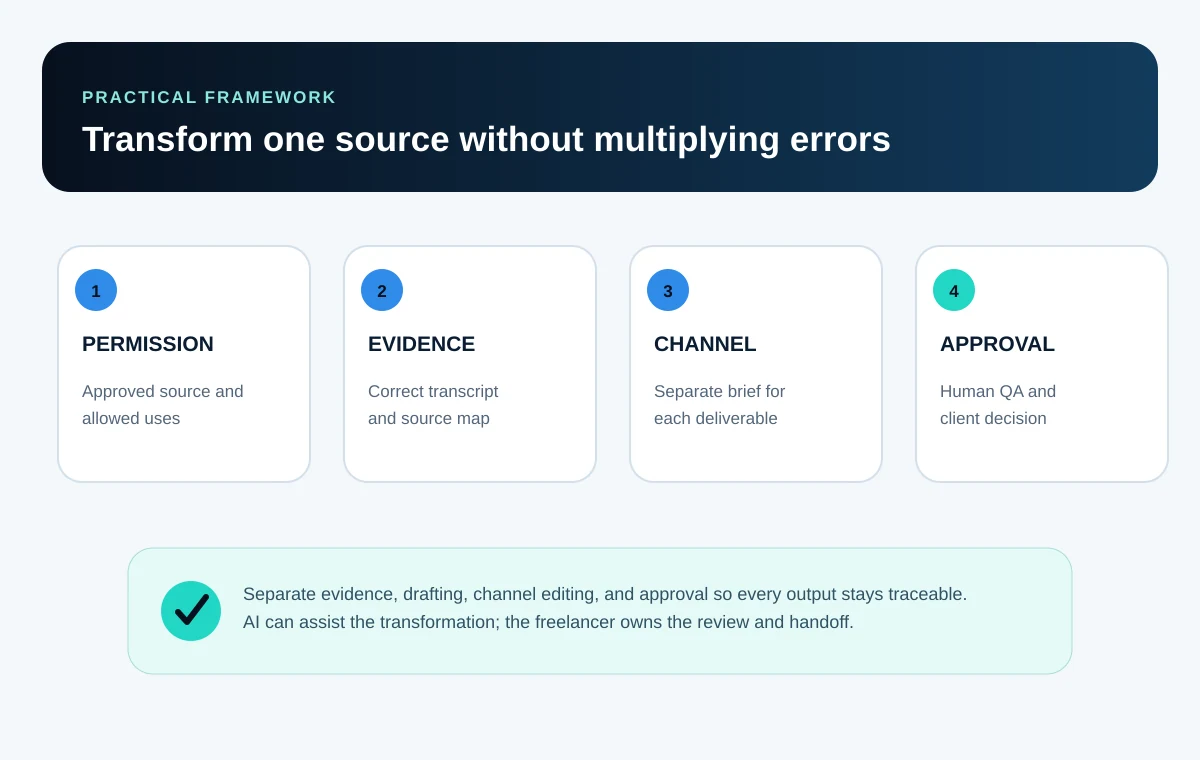
Repurposing multiplies errors. One wrong name in the source map can appear in an article, email, script, and social post. Review the shared evidence layer first, then review each output in its own context.
Do not treat fluent language as proof of accuracy. OpenAI's terms explicitly warn that output may be inaccurate and require users to evaluate accuracy and appropriateness before sharing it. That human review belongs in your service scope and schedule.
- Meaning: the draft preserves the source position, qualifiers, uncertainty, and intended audience.
- Facts: names, dates, numbers, quotations, links, and claims trace to the approved source or a verified reference.
- Voice: phrasing follows the supplied style evidence without inventing personal stories, opinions, or experiences.
- Channel: the structure fits how the output will be read, heard, or viewed instead of repeating one template.
- Rights: source material, quotations, images, music, logos, and template assets are permitted for the intended use.
- Privacy: private names, contact details, client data, and unpublished information are removed or approved.
- Accessibility: headings, links, alt text, captions, transcript context, contrast, and reading order are appropriate for the format.
- Delivery: file names, formats, version labels, source notes, approval status, and next actions are unambiguous.
For visual deliverables, use the Canva portfolio workflow's readability, license, and export checks as a starting point. For tool selection, compare the exact task, privacy need, review burden, and fallback process in the practical AI tools guide.
Package deliverables, limits, and revisions
A package should define quantities and decisions, not adjectives. Replace “complete social media package” with a list of outputs, length ranges, source limits, review rounds, file formats, and exclusions.
Revisions need two categories. A correction fixes your failure to follow the approved source or brief. A scope change adds a new source, audience, channel, campaign direction, or deliverable. The agreement should explain how each is handled.
| Package | Source limit | Deliverables | Review boundary |
|---|---|---|---|
| Starter | One short approved transcript or article | One outline + three social drafts | One consolidated revision round |
| Standard | One longer approved transcript or recording | One outline + one email + five social drafts | One factual correction pass + one consolidated revision round |
| Expanded | One approved source plus client style references | One article draft + one email + eight social drafts | Defined checkpoints and two consolidated revision rounds |
These are illustrative structures, not market prices or universal recommendations. Estimate the real workflow and risk for your own scope. Add rush work, extra sources, extra channels, publishing, research, design, or commercial-usage requirements only when you can describe and price them clearly.
Build a portfolio sample without inventing a client
Create a self-initiated sample from material you own or have explicit permission to use. Label it “concept project,” “self-initiated sample,” or “illustrative workflow.” Do not add a fictional company logo, testimonial, result, or approval.
Show the input boundary, source map, output briefs, selected drafts, meaningful edits, quality checklist, and delivery note. A before-and-after pair is useful when it shows a real editorial decision, such as restoring context or removing an unsupported claim—not merely changing typography.
The portfolio-without-clients guide explains how to disclose fictional briefs and limitations. If you present the sample in Canva, the Canva case-study workflow helps organize the evidence without making the design the proof.
- The source is owned, licensed, or explicitly permitted for the sample.
- The project label makes the lack of a real client unmistakable.
- The case study shows what AI assisted and what human decisions changed.
- Every factual claim and quotation can be traced to the source.
- No reach, conversion, revenue, client satisfaction, or performance result is implied.
- The final files are readable on a phone and contain no private notes or hidden data.
Deliver a reviewable package
A useful handoff lets the client review the package without reconstructing your process. Use clear folders and file names, label drafts and approved versions, include the source map, and summarize open questions. If an output still needs legal, compliance, subject-matter, or brand approval, say so directly.
Do not publish automatically because the draft passed your checks. The client remains the authority for brand facts, private information, and final approval. For platform work, keep communication and delivery inside the agreed channel and follow its current rules.
- Deliverable index with file names, formats, and status
- Approved source list and source map
- Assumptions, removed claims, and unresolved questions
- Quality-control summary for each output
- Client approval points and publication responsibility
- Revision deadline, included round, and change-scope process
- Editable files only when the agreement and licenses permit transfer
Avoid the mistakes that make the service hard to trust
| Mistake | Why it fails | Correction |
|---|---|---|
| Selling every format | Scope and review effort become impossible to estimate | Choose one source type and two or three outputs |
| Starting from an auto-summary | Important context and omissions become hard to detect | Correct the source and build an evidence map first |
| Using one draft everywhere | Each channel receives the wrong structure and reading rhythm | Write a separate output brief for each channel |
| Treating public content as free material | Rights, platform terms, privacy, and client authority may be unclear | Use client-approved sources and record permitted uses |
| Counting generation as total effort | Intake, verification, editing, communication, and delivery disappear from the quote | Estimate the complete workflow |
| Claiming strategy or results | The package cannot prove audience growth or business impact | Promise defined drafts and review, not performance |
| Skipping approval | One source error can spread across every channel | Use checkpoints and obtain client approval before publication |
Validate the service in seven days
- Day 1
Choose one source and package
Select material you own or can use, then define two or three precise outputs and exclusions.
- Day 2
Build the intake and permission checklist
Write the questions you need about ownership, audience, channels, privacy, claims, voice, and approval.
- Day 3
Correct and map the source
Review the transcript or article, record evidence locations, and flag uncertainty before drafting.
- Day 4
Create separate output briefs
Define purpose, reader, structure, length, voice, CTA, and prohibited claims for each deliverable.
- Day 5
Draft and edit
Use AI only within the approved evidence, then perform channel-specific human editing.
- Day 6
Run QA and package delivery
Trace claims, inspect rights and privacy, test readability, and prepare a reviewable handoff.
- Day 7
Publish honest proof
Create a clearly labeled case study and ask a reviewer what the package proves, what is unclear, and what should be narrowed.
At the end of the week, do not ask whether the service is popular. Ask whether you can explain the source boundary, produce every deliverable, detect the important errors, document the handoff, and repeat the process. If not, narrow the package and run the test again.
Return to Start Here for the wider beginner path or place this validation week inside the 30-day AI freelance roadmap. The next practical step is one permitted source and one complete sample—not a public promise of results.
Frequently asked questions
What is an AI content repurposing service?
It is a scoped service that transforms approved source material into defined channel-specific drafts with AI assistance and human review. The freelancer remains responsible for permissions, source accuracy, editing, quality control, and a clear handoff.
Is content repurposing beginner-friendly?
It can be when the source is permitted, the package is small, and the beginner already has relevant editing and verification skills. It is a poor first offer when the subject requires credentials, the material is sensitive, or the freelancer cannot independently detect important errors.
Can I repurpose a public YouTube video for a client?
Do not assume public viewing grants commercial reuse rights or permission to download and transform the content. Confirm ownership or authorization, obtain an approved source or transcript, and review the applicable platform, contract, license, and legal requirements.
Which tools do I need?
You need a reliable way to receive and review the source, correct transcripts, map evidence, draft and edit, and deliver files. A document editor and spreadsheet can support the core workflow. Add transcription, AI, design, or project tools only when a verified requirement justifies their cost and data handling.
Should I promise a certain number of views or leads?
No. A repurposing package can promise defined drafts, checks, and delivery. Reach, engagement, leads, conversions, search performance, and revenue depend on factors outside the deliverable and should not be guaranteed.
How should I handle revisions?
Define one or more consolidated revision rounds and distinguish corrections from scope changes. A correction fixes failure to follow the approved source or brief; a new audience, source, channel, campaign direction, or deliverable is additional scope.
Can I use the same AI draft for every platform?
The evidence can be shared, but the output should be edited for each channel's reader, purpose, structure, context, and constraints. Shrinking one paragraph into several lengths usually produces weak, repetitive content.
How do I make a portfolio sample without a client?
Use source material you own or are permitted to transform, label the project as self-initiated or illustrative, show the source map and quality decisions, and avoid invented client names, testimonials, approvals, metrics, or business outcomes.