
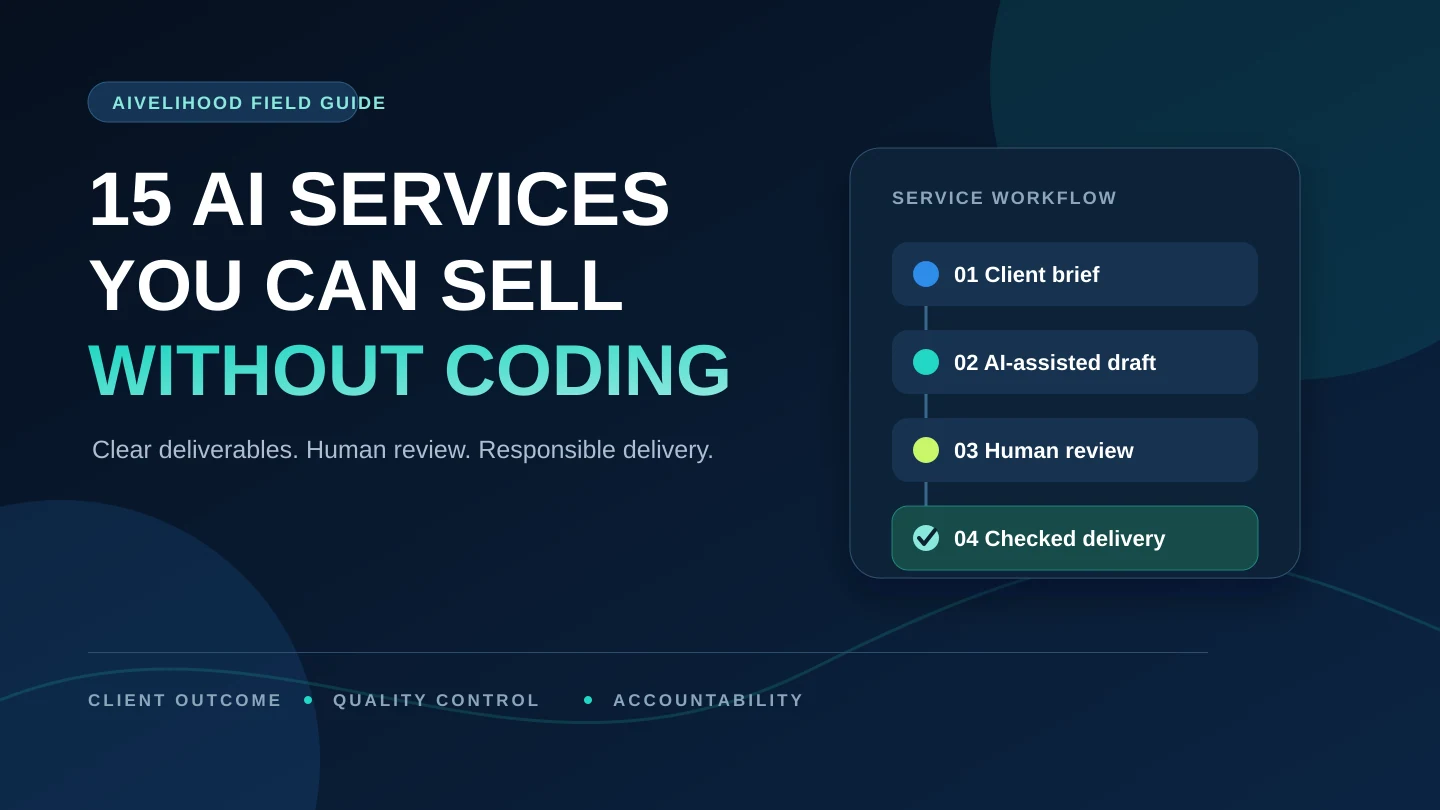
You can sell AI-assisted writing, design, research, editing, documentation, and no-code workflow services without becoming a programmer. The sensible place to begin is a service with a clear deliverable that you can independently review—not whichever AI demo looks most impressive.
The client is not paying for a prompt or a few seconds of generation. They are paying for you to understand the brief, select and prepare source material, make useful decisions, correct weak output, protect their information, and deliver a result that works in the intended context.
If you have not yet chosen a direction, start with the AIvelihood beginner path. It will help you narrow the audience, problem, proof, and delivery boundaries before you create a marketplace listing.
What an AI-assisted service actually means
An AI-assisted service is professional work in which AI supports one or more steps—such as outlining, transcription, variation, classification, or first-draft production—while a human remains responsible for the final result. The service should still make sense if the tool name disappears from the offer.
For example, “I use AI for marketing” is not a useful scope. “I turn a recorded webinar into a corrected transcript, structured article outline, and five reviewed social-post drafts” tells the client what they will receive and gives you something concrete to inspect.
A credible service has five parts:
- A defined client problem and intended audience.
- A visible deliverable with a clear format and scope.
- Inputs you are permitted to use and tools suitable for the data.
- Human review checkpoints for facts, quality, rights, privacy, and client fit.
- A delivery process that includes communication, revisions, and accountability.
“Without coding” means these offers can be produced with document, spreadsheet, design, media, research, or visual automation tools. It does not mean “without learning.” You still need to understand the client’s field, the output standard, and the limits of each tool. Use the AI tools guide to compare tools by task instead of choosing one from hype alone.
15 AI-assisted services you can sell without coding
Each option below is framed around a client outcome. The tool examples are starting points, not endorsements or permanent feature claims. Verify current pricing, terms, privacy controls, and commercial-use conditions before using any tool for client work.
Service 1
AI-assisted blog content production
Turn an approved brief and source set into a structured, edited article package. Position the work as research-assisted editorial production—not automatic rankings or effortless SEO.
- What you deliver
- Research outline, source log, article draft, edited final copy, headline and meta suggestions, plus optional CMS-ready formatting.
- Possible clients
- Small businesses, consultants, software teams, agencies, educators, and nonprofit organizations with a defined audience.
- Possible tools
- A general AI assistant for ideation and drafting, official sources for research, and Google Docs or Word for editing and comments.
- Beginner portfolio sample
- Create two original articles for a clearly fictional business. Show the brief, source list, outline, first-draft excerpt, edits, and final result.
- Quality-control focus
- Open every source, verify every factual claim, remove unsupported statistics, match the required voice, check originality, and read the final article for logic and usefulness.
- Risks and limits
- Hallucinated facts or citations, copied phrasing, weak search intent, confidential source material, and high-stakes claims that require qualified review.
Service 2
Website copy refresh
Help a business make an existing page clearer without inventing product facts or redesigning the entire website.
- What you deliver
- Revised hero, value proposition, service sections, CTA labels, FAQ copy, and a short before-and-after rationale.
- Possible clients
- Local businesses, independent professionals, early-stage companies, creators, and service firms with an existing offer.
- Possible tools
- An AI assistant for options and critique, Google Docs for review, plus the client’s existing site copy, customer questions, and brand guide.
- Beginner portfolio sample
- Rewrite a fictional five-section landing page and annotate why each change improves clarity, specificity, or the user’s next step.
- Quality-control focus
- Preserve verifiable product details, use consistent terminology, check every CTA against a real destination, and keep legally reviewed wording intact unless authorized.
- Risks and limits
- Invented benefits, testimonials, credentials, guarantees, compliance claims, or a polished voice that no longer matches the actual service.
Service 3
Product-description catalog
Convert structured product information into consistent copy and organized import fields for a small catalog.
- What you deliver
- Structured titles, short and long descriptions, feature-to-benefit copy, metadata suggestions, and a spreadsheet ready for client review or import.
- Possible clients
- Small ecommerce stores, marketplace sellers, manufacturers, wholesalers, and agencies managing modest catalogs.
- Possible tools
- AI drafting tools, Google Sheets or Excel, the client’s product-information source, and any required marketplace template.
- Beginner portfolio sample
- Create ten mock products from an original specification sheet. Include a field map, source column, status column, and QA notes.
- Quality-control focus
- Compare every dimension, material, compatibility detail, SKU, variant, and claim against the source data; check duplicates and field-length limits.
- Risks and limits
- Fabricated specifications, prohibited health or performance claims, inconsistent variants, trademark misuse, and confident copy built from incomplete data.
Service 4
Email newsletters and welcome sequences
Build a coherent set of emails around one audience and one next action rather than generating unrelated subject lines.
- What you deliver
- Subject-line options, preview text, email body, primary CTA, segmentation notes, plain-text version, and an approval sheet.
- Possible clients
- Creators, newsletters, ecommerce teams, membership communities, consultants, and nonprofit organizations.
- Possible tools
- An AI assistant for variations, Google Docs for editing, the client’s email platform, and approved brand and audience information.
- Beginner portfolio sample
- Create a three-email welcome sequence for a fictional newsletter, including its audience brief, voice guide, goal for each email, and final copy.
- Quality-control focus
- Give each email one primary goal, verify every link and claim, review mobile length, remove vague personalization, and confirm the client’s consent and unsubscribe process.
- Risks and limits
- Spammy promises, fabricated personalization, misuse of subscriber data, misleading scarcity, and failure to follow applicable email rules.
Service 6
Presentation and pitch-deck production
Turn approved material into a clear story, readable slides, and an editable file. AI can help organize; it cannot validate the client’s numbers.
- What you deliver
- Story outline, slide copy, visual hierarchy, charts, speaker notes, source references, and an editable presentation file.
- Possible clients
- Consultants, founders, sales teams, educators, nonprofit organizations, and internal training teams.
- Possible tools
- Canva, Google Slides, or PowerPoint for design; an AI assistant for structure; and the client’s approved data and source material.
- Beginner portfolio sample
- Create an eight-slide informational deck using public or synthetic data. Show source notes and explain the hierarchy and chart choices.
- Quality-control focus
- Keep one main idea per slide, test legibility, verify charts against source values, use licensed visuals, check contrast, and inspect the exported file.
- Risks and limits
- Invented market data, changed numerical meaning, overstated traction, tiny mobile text, unlicensed images, and unauthorized logos.
Service 7
Lead-magnet and ebook formatting
Transform approved educational copy into a compact, usable document with a consistent visual system and working navigation.
- What you deliver
- Edited copy, cover, page layout, callouts, worksheets, clickable links, editable source, and a compressed PDF.
- Possible clients
- Consultants, educators, creators, coaches, associations, and service businesses building an email resource.
- Possible tools
- Google Docs or Word for copy, Canva or another layout tool for design, and an AI assistant for outline refinement or consistency checks.
- Beginner portfolio sample
- Create a six-page original beginner guide with both editable and PDF versions. Include a style sheet and accessibility review notes.
- Quality-control focus
- Use consistent headings and spacing, test every link, control page breaks, review the PDF on mobile, and verify asset licenses and attributions.
- Risks and limits
- Copied source material, inaccessible typography, unlicensed stock assets, broken links, oversized files, and unsupported educational claims.
Service 8
Marketing-graphic variants and image cleanup
Produce a controlled set of campaign sizes and cleaned client assets, with source rights and export requirements documented.
- What you deliver
- Resized campaign graphics, background removal, basic retouching, text and layout variants, and a labeled export package.
- Possible clients
- Ecommerce stores, event organizers, content creators, local businesses, and small marketing teams.
- Possible tools
- Canva, Adobe image tools, or another client-approved editor using owned, licensed, or client-supplied assets.
- Beginner portfolio sample
- Create three campaign sizes from self-owned or licensed assets. Include the original, source-and-license record, safe-area notes, and final exports.
- Quality-control focus
- Inspect edges, hands, faces, text, shadows, brand colors, crop safety, export dimensions, color consistency, and readability at actual size.
- Risks and limits
- Trademark or likeness misuse, deceptive editing, AI artifacts, unclear commercial rights, inaccessible embedded text, and incorrect file dimensions.
Service 9
Podcast or video transcription and show notes
Convert a permitted recording into corrected text and useful navigation. Automatic transcription is only the starting draft.
- What you deliver
- Corrected transcript, speaker labels, timestamps, summary, chapter markers, key points, and verified links mentioned in the recording.
- Possible clients
- Podcasters, webinar hosts, researchers, trainers, educators, interview series, and internal communications teams.
- Possible tools
- Descript or another transcription service, a text editor, headphones, and an AI assistant for summary drafts after the transcript is corrected.
- Beginner portfolio sample
- Transcribe a self-recorded or properly licensed five-minute clip and show a short raw-versus-corrected excerpt with your review notes.
- Quality-control focus
- Listen to the source while checking names, numbers, jargon, speaker changes, quotations, timestamps, and any claims repeated in the summary.
- Risks and limits
- Poor audio, confidential recordings, missing participant consent, inaccurate quotations, exposed personal information, and misleading summaries.
Service 10
Short-form video repurposing and captions
Select useful moments from approved long-form footage and turn them into accurate, accessible clips without changing the speaker’s meaning.
- What you deliver
- Selected clips, corrected transcript, burned-in or sidecar captions, hook and title options, aspect-ratio variants, and export files.
- Possible clients
- Podcasters, educators, webinar producers, consultants, founders, nonprofit organizations, and creator teams.
- Possible tools
- Descript, Canva, CapCut, or another client-approved video editor, plus caption and audio review tools.
- Beginner portfolio sample
- Turn one self-recorded long video into three short clips and explain the selection, cut points, hook, caption, and format decision for each.
- Quality-control focus
- Correct captions, preserve context, check safe text margins, listen for clean cuts and audio levels, and verify aspect ratio and export settings.
- Risks and limits
- Statements taken out of context, inaccurate captions, unlicensed music or footage, unauthorized faces or voices, and edits that change meaning.
Service 11
Research brief or competitor landscape
Organize public evidence around a defined question, with citations and uncertainty visible. The service is disciplined research, not confident AI synthesis.
- What you deliver
- Research question, methodology note, cited findings, comparison matrix, uncertainty notes, capture date, and executive summary.
- Possible clients
- Small-business owners, marketers, product teams, consultants, agencies, and nonprofit program teams.
- Possible tools
- Official websites and documents, a spreadsheet or evidence table, and an AI assistant for organizing themes after sources are collected.
- Beginner portfolio sample
- Create a public-source landscape of five documented tools or organizations. Include direct links, capture dates, criteria, and unresolved questions.
- Quality-control focus
- Open every source, distinguish facts from interpretation, record dates, compare like with like, and explain missing or conflicting information.
- Risks and limits
- Fabricated citations, outdated facts, biased source selection, confidential-data misuse, false certainty, and drifting into regulated professional advice.
Service 12
Spreadsheet cleanup and simple reporting
Standardize and document a dataset while preserving the original. The valuable output is an auditable cleanup—not a decorative chart.
- What you deliver
- Clean spreadsheet, deduplicated records, data dictionary, validation summary, pivot table or chart, and a change log.
- Possible clients
- Small businesses, nonprofit organizations, independent operators, administrative teams, and small operations groups.
- Possible tools
- Excel or Google Sheets, optional approved data-analysis tools, and a clear record of formulas and transformations.
- Beginner portfolio sample
- Clean a synthetic dataset with deliberately inconsistent dates, categories, blanks, and duplicates. Show source, transformed version, and checks.
- Quality-control focus
- Keep an untouched copy, reconcile row counts and totals before and after, document every transformation, review formulas, and spot-check records.
- Risks and limits
- Silent data loss, changed totals, broken formulas, exposed personal data, misleading visualizations, and treating correlation as causation.
Service 13
SOP and knowledge-base documentation
Turn interviews, notes, and a real process walkthrough into instructions another person can follow and maintain.
- What you deliver
- Process map, step-by-step SOP, approved screenshots, decision points, troubleshooting, owner, review date, and change log.
- Possible clients
- Growing small businesses, agencies, remote teams, customer-support groups, operations teams, and membership organizations.
- Possible tools
- Notion, Google Docs, screenshot and annotation tools, and an AI assistant for restructuring approved interview notes.
- Beginner portfolio sample
- Document a process you own—such as publishing a post—using dummy accounts and redacted screenshots. Ask someone to follow it unaided.
- Quality-control focus
- Have a process owner perform the procedure from the document, verify permissions and labels, cover exception paths, and schedule a review date.
- Risks and limits
- Documenting the wrong process, exposing credentials, obsolete screenshots, missing exceptions, and turning an informal workaround into policy.
Service 14
Translation and localization assistance
Use AI to accelerate a language workflow only when a fluent human can review every sentence and make cultural and terminology decisions.
- What you deliver
- Translated text, localized terminology, side-by-side review file, glossary, unresolved-query list, and final formatted version.
- Possible clients
- Creators, small software businesses, ecommerce stores, event organizers, educators, and organizations adapting low-risk content.
- Possible tools
- AI or machine-translation tools, glossary or CAT tools, document editors, and design software when layouts also need localization.
- Beginner portfolio sample
- Translate your own original text between languages you genuinely understand. Explain terminology, tone, cultural, and layout decisions.
- Quality-control focus
- A fluent human reviews every sentence; preserve numbers, links, variables, formatting, product names, tone, and any client glossary.
- Risks and limits
- Subtle mistranslation, cultural harm, broken placeholders, confidential text, and certified or high-stakes documents requiring qualified professionals.
Service 15
No-code workflow setup
Build a small visual automation only after the manual process is stable. The handoff must explain permissions, failures, and how to turn it off.
- What you deliver
- Workflow map, configured automation, test cases, failure notes, permissions list, client handoff, and monitoring checklist.
- Possible clients
- Solo businesses, agencies, operations teams, newsletter creators, event teams, and small organizations with repeatable admin work.
- Possible tools
- Zapier or another visual automation platform, forms, spreadsheets, email tools, and test accounts with minimal permissions.
- Beginner portfolio sample
- Build a test workflow that moves a fictional form submission to a spreadsheet and sends a confirmation. Include a flow diagram and failure tests.
- Quality-control focus
- Test normal, missing-data, duplicate, permission, and failure paths; confirm recipients; use least privilege; document monitoring and disable steps.
- Risks and limits
- Duplicate actions, unintended emails, exposed customer data, fragile integrations, usage costs, changing APIs, and connected-app rule violations.
If repurposing long-form material fits your editing and verification skills, continue with the complete AI content repurposing service workflow to define permissions, source mapping, channel briefs, human review, packages, and delivery. After the deliverables are clear, compare a minimal repurposing tool stack by workflow stage instead of buying software first.
Compare the 15 services at a glance
These ratings compare relative learning and delivery complexity for a new freelancer. They do not predict demand, earnings, platform visibility, or success. A service that looks simple can still fail if you cannot check the work or communicate the scope.
| Service | Learning difficulty | Delivery complexity | Portfolio requirement | Suitable client type |
|---|---|---|---|---|
| Blog content production | Medium | Medium | High—edited long-form samples | Content teams, consultants, agencies |
| Website copy refresh | Medium | Medium | High—before and after copy | Local businesses, startups, service firms |
| Product descriptions | Low–medium | Medium | Medium—structured sample catalog | Ecommerce and marketplace sellers |
| Email sequences | Medium | Medium | High—complete sequence | Creators, ecommerce, newsletters |
| Social content packs | Low–medium | Medium | High—cohesive campaign | Small brands and local services |
| Presentation decks | Medium | High | High—complete editable deck | Founders, consultants, sales teams |
| Lead magnets and ebooks | Medium | Medium | High—polished PDF and source | Educators, creators, consultants |
| Marketing graphics | Medium | Medium | High—multiple visual formats | Ecommerce, events, content teams |
| Transcription and show notes | Low–medium | Medium | Medium—raw and corrected comparison | Podcasters and webinar teams |
| Short-form video | Medium | High | High—finished clips | Creators, educators, founders |
| Research briefs | Medium | High | High—cited report | Product, marketing, strategy teams |
| Spreadsheet cleanup | Medium | High | High—before and after data | Operations, nonprofits, small firms |
| SOP documentation | Medium | Medium | Medium—complete tested SOP | Agencies and growing teams |
| Localization | High | Medium | High—bilingual reviewed work | Businesses entering another language market |
| No-code automation | Medium–high | High | High—tested workflow and handoff | Small-business operations teams |
How to choose your first service
Begin with the service whose mistakes you are most capable of detecting. A familiar problem with a modest tool is usually safer than an impressive workflow in a field you do not understand.
Shortlist three services, then score each from 1 to 5 on the criteria below. Use evidence, not excitement: a score of 5 for quality control means you already know what good work looks like and can explain how you will check it.
If you need a fuller decision process, use the first-service selection framework to compare skill fit, learning effort, deliverable clarity, portfolio feasibility, quality-control burden, and client risk before you commit.
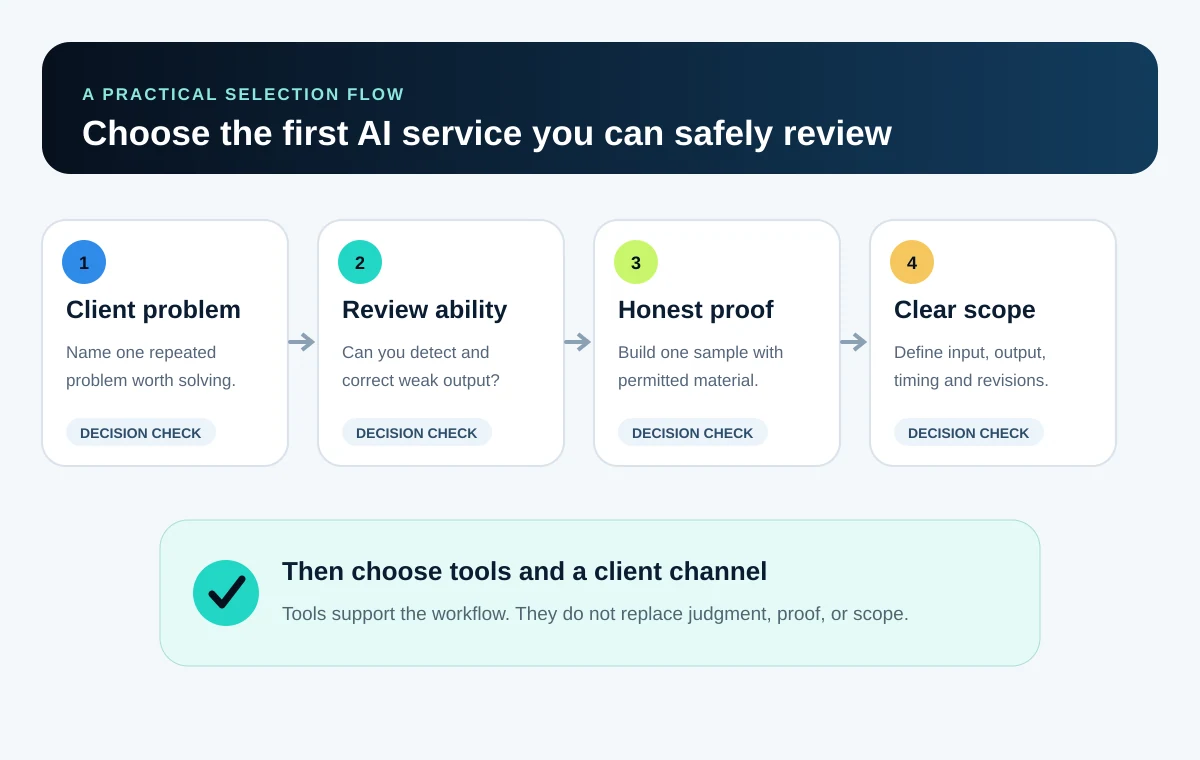
Existing knowledge
Do you understand the client, subject, and vocabulary?
Review ability
Can you detect factual, visual, numerical, or language errors yourself?
Sample access
Can you create an honest portfolio example with public, owned, licensed, or synthetic inputs?
Scope clarity
Can you name the input, output, format, timing, revisions, and exclusions?
Repeatability
Can you follow the same broad workflow without producing generic results?
Risk control
Can you manage privacy, rights, and client approval without guessing?
Tool access
Can you complete the sample without high fixed costs or unavailable features?
Client fit
Are you comfortable asking questions and explaining decisions to this buyer?
Once one service passes this scorecard, build honest portfolio proof without inventing a client. When the deliverable and review process are visible, use the AI freelance pricing method to estimate the complete workflow, set revision boundaries, and package the offer.
Reduce the risk before you commit:
- Do not sell finished localization in a language you cannot fluently review.
- Do not sell research briefs if you will not open, date, and cite the original sources.
- Do not sell automations if you cannot test missing data, duplicate actions, permissions, and failure alerts.
- Avoid regulated medical, legal, or financial subject matter unless the workflow includes appropriately qualified review.
- Narrow the offer to one buyer, one recurring problem, and one primary deliverable.
Once you have one or two viable options, compare freelance platforms and client channels. A visual, repeatable package may suit a marketplace listing; a more diagnostic service may fit focused proposals or direct conversations.
A seven-day plan to build your first offer
This week is for building one complete sample workflow, not promising a revenue result. Keep the scope small enough that you can finish, review, and improve it.
- Day 1
Choose one narrow offer
Pick one service and one client type. Define the problem, output, exclusions, and the parts you can confidently review.
- Day 2
Write the intake and scope
List the questions you need about audience, source files, format, deadline, revisions, AI preferences, privacy, and approvals.
- Day 3
Build one honest sample
Use owned, licensed, public, or synthetic material. Label mock work clearly and never imply that it was paid client work.
- Day 4
Apply a QA checklist
Review facts, names, links, rights, privacy, formatting, accessibility, and client-specific requirements; then improve the sample.
- Day 5
Package the offer
Specify deliverables, inputs, timing, revisions, exclusions, source-file policy, rights expectations, and where AI assists.
- Day 6
Publish or pitch
Create one focused listing or send a small number of relevant, personalized pitches linked to the sample. Do not spam.
- Day 7
Review evidence and refine
Track replies, questions, objections, and workflow problems. Improve one weak point rather than inventing revenue projections.
At the end of day seven, continue with the 30-day AI freelance roadmap to create more proof, package the scope, and test the offer with relevant clients.
Responsible delivery checklist
- Ask whether the client permits AI assistance and document any restrictions.
- Do not upload confidential, personal, or unpublished material without permission and appropriate safeguards.
- Keep an untouched copy of source files and record material transformations.
- Verify facts, calculations, citations, names, links, quotations, and file specifications.
- Use only assets, voices, faces, logos, and data for which the necessary rights or consent exist.
- Do not fabricate testimonials, credentials, business results, customers, or personal experience.
- Explain uncertainty and decline work that you cannot independently review or safely deliver.
- Follow the current communication, payment, disclosure, and content rules of the platform you use.
- Give the client editable source files, handoff notes, or a change log when the agreed scope requires them.
Official sources to recheck
- Fiverr — Using AI on Fiverr: guidelines for freelancers and clients
- Upwork — How Upwork handles confidentiality and NDAs
- OpenAI Help Center — Data analysis with ChatGPT
- Descript Help — Automatic transcription
- Zapier — No-code automation guide
- U.S. Copyright Office — Copyright and artificial intelligence report
Frequently asked questions
Can I sell AI-assisted work on Fiverr or Upwork?
Fiverr publishes specific guidance that permits responsible AI assistance while requiring customized, meaningfully refined work and accountability for the final delivery. For Upwork, confirm the current job requirements, contract terms, confidentiality obligations, and platform rules before using AI; do not assume one platform’s policy applies to the other. Recheck all applicable rules before publishing a listing or accepting work.
Must I tell every client that I use AI?
There is no universal answer for every contract and location. Honor explicit non-AI requirements, disclosure clauses, platform rules, and privacy commitments. Clarify the workflow early whenever AI use could affect confidentiality, rights, originality, or the client’s approval decision.
Which AI service is easiest for a beginner?
Narrow transcription and show notes, small product-description batches, or limited content repurposing can have accessible production workflows. Easy to begin does not mean easy to sell or deliver well. Choose an output you can inspect, correct, and explain.
Do these services require coding?
The first fourteen use document, design, media, research, language, or spreadsheet tools. The fifteenth uses a visual no-code automation platform. Complex integrations can still require technical troubleshooting or help from a developer.
Can I upload client files to any AI tool?
No. Obtain permission, review the tool’s current privacy and data terms, use an appropriate account, minimize and redact the data, and follow the client’s security requirements. If the permitted workflow is unclear, do not upload the material.
Can I commercially use AI-generated images?
It depends on the tool, feature, source material, plan terms, client contract, and jurisdiction. A provider allowing commercial use does not remove every copyright, trademark, likeness, privacy, or misleading-content risk.
How should I price an AI-assisted service?
Price the defined scope: discovery, production time, research, QA, revisions, communication, tool costs, editable files, platform fees, and project risk. Do not price only the generation step or publish unsupported typical-earnings claims.
How can I find a first client without testimonials?
Build a clearly labeled concept sample, define a narrow deliverable, and use a focused marketplace listing or personalized pitch. Show the brief, process, human review, and final output. Never invent customers, ratings, results, or paid experience.
What happens if an AI output is wrong?
You remain responsible for the work you deliver. Correct errors before delivery, explain material uncertainty, keep source records, and decline work that cannot be safely verified. A client should not bear the cost of an unreviewed model output.
Service 5
Social-media content packs
Create a small, coherent campaign that a client can review and schedule, rather than an endless stream of generic posts.