
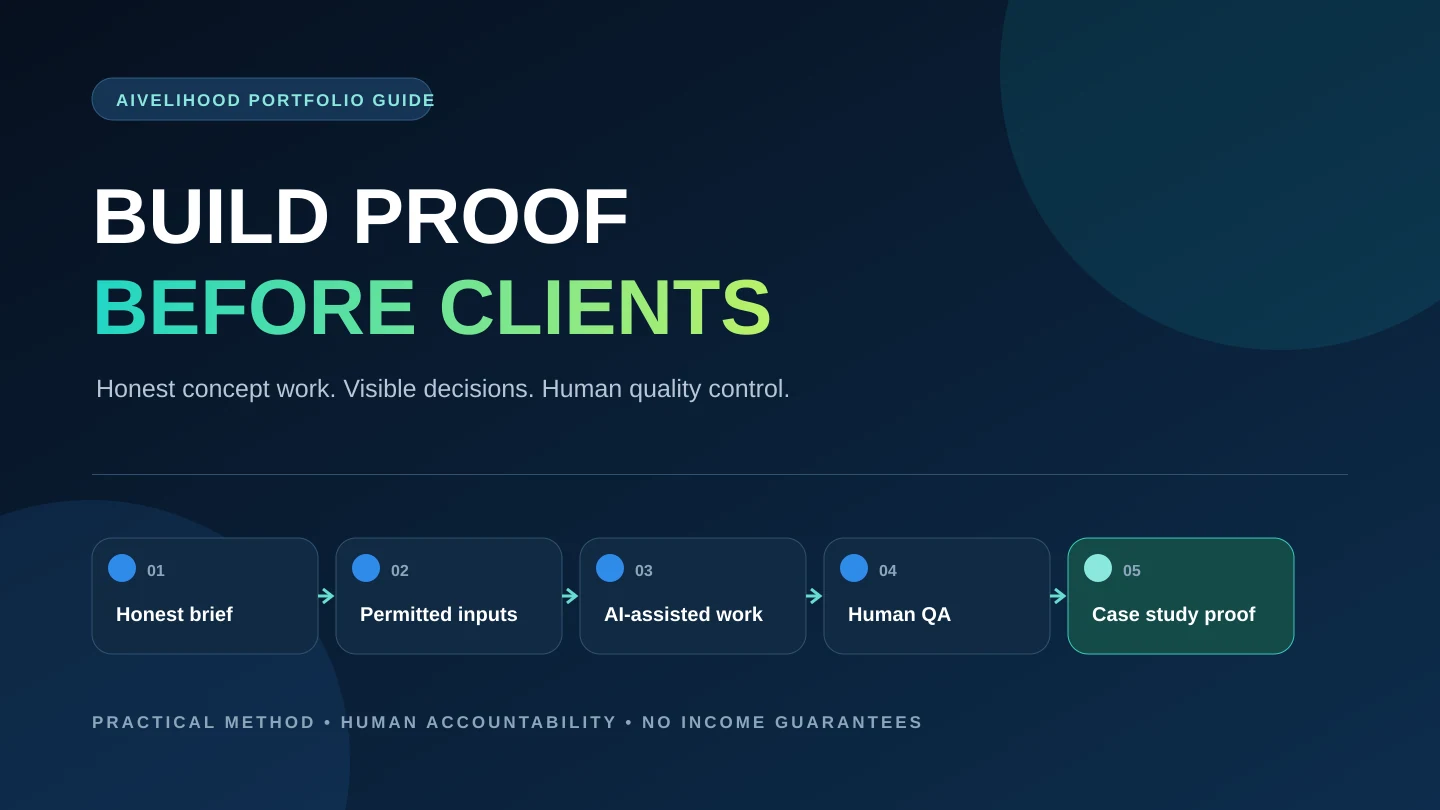
You do not need a paid client before you can show that you know how to solve a defined problem. You do need evidence. A useful beginner portfolio replaces unsupported claims with a small set of clearly labeled concept projects that demonstrate your judgment, process, quality control, and final delivery standard.
The goal is not to make simulated work look like client work. The goal is to let a prospective client inspect how you would approach a realistic brief. That means explaining what you created, why you made each important decision, where AI assisted, what you checked yourself, and what the sample does not prove.
If you have not chosen a service yet, begin with 15 AI services you can sell without coding. Choose one narrow deliverable first; then use this guide to build the proof that supports it.
Why a portfolio can come before your first client
A client portfolio and a capability portfolio are not the same thing. A client portfolio documents commissioned work that you are permitted to share. A capability portfolio demonstrates what you can produce through self-initiated work. Both can be useful, but they must be labeled accurately so a viewer never has to guess which is which.
A concept project cannot prove that a real client approved the work, that the work created business results, or that you handled a live stakeholder relationship. It can prove that you can interpret a brief, organize inputs, use suitable tools, make defensible choices, identify risks, revise weak output, and deliver files in a professional format.
That distinction is especially important for AI-assisted services. A polished final image or paragraph may be easy to generate. The stronger evidence is everything around it: the problem definition, source selection, prompt or workflow choices at an appropriate level of detail, human edits, fact checks, accessibility checks, rights review, and a clear handoff package.
What an honest concept project can demonstrate:
- A clear understanding of one audience, problem, and deliverable.
- A repeatable workflow rather than a lucky one-shot output.
- Human judgment about tone, hierarchy, evidence, usability, or visual quality.
- A practical review checklist and visible improvements between drafts.
- Professional presentation, file naming, version control, and handoff notes.
- Awareness of privacy, copyright, trademark, accessibility, and tool limitations.
Design a responsible concept project
Start with a fictional brief, not with a tool. The brief should resemble a problem a real buyer might have while using material you own, create, license, or can lawfully reference. A neighborhood bakery, independent newsletter, fictional software feature, public-domain text, synthetic spreadsheet, or your own recorded video can provide a safe starting point when the scenario is clearly disclosed.
Avoid copying an existing brand's identity and pretending it hired you. You may study public examples for context, but create a distinct fictional name, visual system, source material, and business situation. Do not use private data, scrape personal information, reproduce copyrighted work, or place a real person's face or voice into a sample without appropriate permission.
Client type
Name a realistic type of buyer, such as a local service business or a small creator team, without inventing a real customer.
Problem
Describe one observable communication, workflow, research, design, or content problem.
Inputs
List the owned, licensed, public-domain, or synthetic materials available for the sample.
Deliverables
Specify the files, formats, quantities, dimensions, length, or editable source material you will produce.
Constraints
Add a deadline, audience, tone, accessibility need, channel requirement, or explicit exclusion.
Review criteria
Define how you will judge accuracy, usefulness, consistency, rights, privacy, and technical quality.
Write the brief before producing anything and include a shortened version in the final case study. This keeps the sample focused and lets viewers judge whether the output actually answers the stated problem. It also helps you discover the questions that a real intake form will eventually need.
If the project involves a platform listing, review the current platform rules before publishing. Fiverr's official portfolio guidance says manually added projects may include work from Fiverr or outside the platform and makes the freelancer responsible for display rights. Upwork's official Project Catalog guidance describes listings that may use text, images, video, and PDF samples. Features and requirements can change, so recheck the official pages linked below rather than relying on this article as a permanent platform specification.
Choose three to five projects that make one coherent offer
A beginner portfolio does not improve automatically as it gets larger. Three well-documented projects that support one offer are usually more persuasive than fifteen unrelated outputs with no context. A prospect should be able to scan the page and understand what you help with, who it is for, and what level of work to expect.
Choose a narrow service family, then vary the evidence. For an AI-assisted content service, one project might show a source-to-outline workflow, one might show a before-and-after edit, and one might show a multi-format content package. For presentation work, show information hierarchy, visual consistency, and an editable handoff rather than three decorative cover slides.
Use this five-project sequence only when every sample adds new evidence:
- Project 1 - the simplest representative deliverable, completed to a professional standard.
- Project 2 - a before-and-after transformation that makes your judgment visible.
- Project 3 - a realistic package containing several coordinated deliverables.
- Project 4 - a different client context that tests whether the workflow transfers.
- Project 5 - a more complex sample with constraints, revisions, or a documented tradeoff.
Stop at three if the fourth project would repeat the same evidence. Your first portfolio is a working sales document, not an archive. Remove weak work as your standards improve, and keep source files so you can update screenshots, links, dates, and process notes without recreating the project.
Each project should match the service you intend to offer. If you want help turning those deliverables into a defined scope, use the Start Here path and then learn how to price AI freelance services after your sample workflow reveals the real effort involved.
Turn every sample into a short case study
A gallery shows outputs. A case study shows thinking. Give every project a short, consistent structure so the viewer can move from the fictional brief to the finished proof without interpreting a collection of unexplained screenshots.
The word 'result' needs care in a concept project. You can describe the delivered result - for example, a corrected transcript with timestamps, a five-slide editable deck, or a cleaned spreadsheet with a change log. You cannot claim business impact such as increased sales, saved staff hours, conversion improvement, or client satisfaction unless you have real, attributable evidence and permission to publish it.
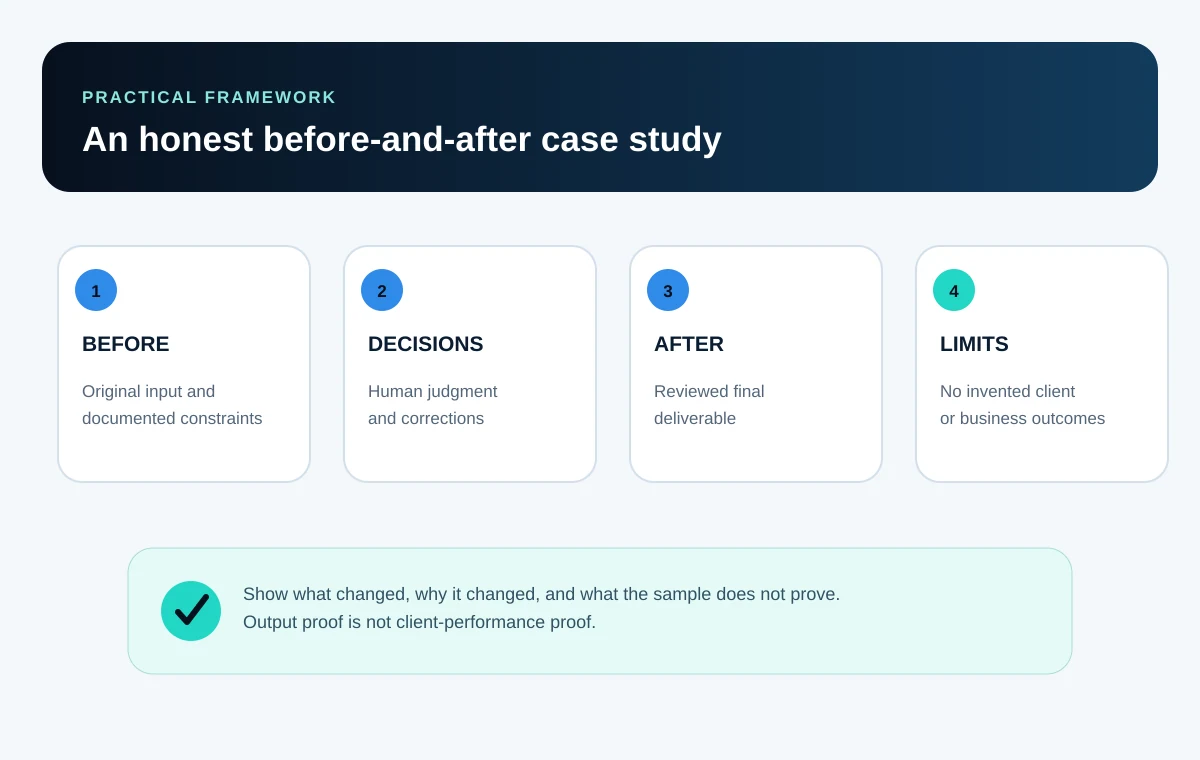
A useful case-study structure:
- Label - state that the work is a concept project or self-initiated sample.
- Brief - summarize the fictional client type, audience, problem, deliverables, and constraints.
- Inputs - identify the source material and confirm whether it was owned, licensed, public-domain, or synthetic.
- Process - show the important stages, not a wall of private prompts or repetitive screenshots.
- Human decisions - explain what you accepted, rejected, changed, verified, or created yourself.
- Quality review - name the checks performed and show one meaningful revision when possible.
- Delivery - present the final output, formats, editable files, and a brief handoff note.
- Limits - explain what the sample does not prove and what would require real client data or approval.
Keep process evidence selective. A prospective client usually needs to understand your decisions and controls, not every hidden instruction or tool interaction. Protect reusable methods and never expose credentials, personal data, confidential source files, or another person's private material in screenshots.
Use before-and-after examples without inventing performance
Before-and-after evidence is useful when the viewer can see what changed and why. The 'before' should be material you are allowed to publish: your own rough draft, a synthetic dataset, a deliberately flawed layout, or public-domain material. Explain the intervention instead of presenting the final item as unexplained magic.
| Service sample | Before | After | Evidence to explain |
|---|---|---|---|
| Content editing | Your own unfocused draft with weak structure | Edited article with a clearer argument and source notes | Outline changes, removed claims, fact checks, tone decisions, and final proofreading |
| Presentation design | Synthetic notes and an intentionally inconsistent draft | Accessible, editable presentation with a clear hierarchy | Slide purpose, content cuts, layout system, contrast, alt-text notes, and export checks |
| Transcript cleanup | A self-recorded clip and raw automatic transcript | Corrected transcript with speakers, timestamps, and show notes | Listening pass, name checks, uncertainty markers, timestamp review, and context-preserving summary |
| Spreadsheet cleanup | A synthetic table with duplicates and inconsistent formats | Clean workbook with validation summary and change log | Preserved source, row-count reconciliation, transformations, formulas, and spot checks |
| Social content | A fictional launch brief and source article | A coordinated post set with platform-ready variants | Audience, message hierarchy, source fidelity, visual safe areas, and final copy review |
Match the portfolio format to the service
Choose a format that makes the work easy to inspect. A downloadable PDF can preserve a case study, but a client may be viewing it on a phone. A public page is easy to share, but you must review its privacy and publishing settings. A video walkthrough can explain an automation, but it also needs captions and a concise written summary.
| Service type | Strong format | Proof to include | Common weakness |
|---|---|---|---|
| Writing and editing | Web case study plus PDF or document sample | Brief, outline, source notes, edited excerpt, and quality checklist | Publishing only polished text with no evidence of accuracy or judgment |
| Design and presentation | Image sequence plus downloadable editable preview | Brief, style choices, before-and-after slides, dimensions, and accessibility review | Showing attractive mockups that hide unreadable real-size output |
| Research brief | Cited report plus evidence table | Question, method, official links, capture dates, uncertainty, and comparison criteria | Presenting AI summaries without opening or dating the original sources |
| Audio or video | Short reel plus transcript and process notes | Permitted source, corrected captions, cut decisions, aspect ratios, and context review | Using unlicensed footage, music, faces, or inaccurate captions |
| Spreadsheet service | Read-only workbook preview plus case-study screenshots | Synthetic source, data dictionary, transformation log, checks, and final output | Sharing private data or visual charts without reconciling the records |
| No-code workflow | Diagram, short demo, and handoff document | Trigger, actions, permissions, test cases, failure paths, and disable steps | Demonstrating only the success path while ignoring duplicates and failures |
Use the AI tools directory to think in tool categories rather than assuming one product fits every workflow. A writing sample may need a document editor and citation records; a visual sample may need a layout tool; a workflow sample may need a diagram and test log. The proof should remain understandable even if the named tool changes.
Choose a simple way to publish the portfolio
You do not need a custom website before the work is ready. Start with the simplest format you can maintain and share reliably. A PDF can work for focused outreach. A Notion page can organize case studies in a structured document. A Canva page can support a visual one-page presentation. A simple website gives you more control over navigation, metadata, and multiple case studies when you are ready to maintain it.
These are categories, not endorsements. Review current pricing, export options, publishing permissions, accessibility, indexing, contributor metadata, and account requirements before choosing. Notion's official publishing documentation, for example, warns that publishing may include subpages and may expose contributor metadata depending on the setup. Preview the public result while signed out rather than assuming a share setting is private or complete.
If you choose a visual PDF, presentation, or one-page site, use the step-by-step Canva portfolio workflow to turn this evidence into reusable case-study pages without hiding that a project is self-initiated.
Useful for a fixed, portable application package; test file size, selectable text, links, reading order, and mobile legibility.
Notion
Useful for quick structured pages; inspect public permissions, subpages, metadata, mobile layout, and the exact shared URL.
Canva
Useful for visual presentation and simple web or PDF formats; verify export quality, text size, contrast, and asset licenses.
Simple website
Useful for a growing collection with stable URLs; maintain navigation, responsive behavior, metadata, performance, and backups.
Whichever format you choose, include:
- A one-sentence statement of the service and intended client.
- Three to five selected projects, each labeled accurately.
- A short description of your role, workflow, and human review.
- Readable final outputs or representative excerpts, not only decorative thumbnails.
- A clear next step for discussing scope, with no fabricated urgency or guarantees.
- A review date so you remember to update links, tools, and screenshots.
Quality-control checklist before you publish
Your portfolio is itself a sample of your delivery standard. A broken link, unreadable mobile layout, unsupported claim, misspelled brand, or accidental permission leak can undermine otherwise strong work. Review both the content and the public experience before sending it to anyone.
- Every fictional or self-initiated project is labeled next to its title, not hidden in a distant disclaimer.
- No real client, employer, endorsement, testimonial, platform relationship, or business result is implied without evidence and permission.
- All text, images, audio, video, fonts, logos, and datasets are owned, licensed, public-domain, synthetic, or used with appropriate permission.
- Names, quotations, links, numbers, citations, calculations, timestamps, and technical specifications have been checked manually.
- AI artifacts, invented facts, inconsistent details, and generic filler have been removed rather than disguised.
- The case study explains human decisions, review steps, and material limitations without exposing private prompts or credentials.
- Files use clear names, open correctly, contain the agreed formats, and do not include comments, hidden sheets, or metadata that should remain private.
- The portfolio works with a keyboard, has meaningful link text and image alternatives, and remains readable at mobile width and high zoom.
- Public sharing permissions, nested pages, downloads, forms, and contact links have been tested in a signed-out browser session.
- Tool features, platform requirements, dates, and source links have been reviewed recently and are not presented as permanent facts.
Ask one person to review the portfolio without your explanation. Give them three questions: What service am I offering? Which sample best proves I can do it? What would you do next if you wanted to discuss a project? Their confusion is useful evidence for the next revision.
A seven-day plan to build the first version
The purpose of this week is to publish one credible version, not to imitate a mature agency. Keep the service narrow and finish each day with a saved artifact you can review.
- Day 1
Choose one service and audience
Use the flagship service guide to choose a deliverable you can independently review. Write one sentence naming the client type, problem, output, and boundary.
- Day 2
Write three concept briefs
Create distinct fictional scenarios using owned, licensed, public-domain, or synthetic inputs. Label each brief as self-initiated before production begins.
- Day 3
Complete the first project
Produce the smallest representative deliverable. Save source material, intermediate drafts, decisions, and the final files in a clear folder structure.
- Day 4
Complete two supporting projects
Add a transformation sample and a coordinated package, or stop at two if another project would only repeat the same evidence.
- Day 5
Write the case studies
For each sample, document the label, brief, inputs, process, human decisions, review, delivered result, and limits. Remove unsupported impact claims.
- Day 6
Publish and test
Choose a maintainable PDF, Notion page, Canva presentation, or simple website. Test links, permissions, accessibility, file downloads, and mobile layout while signed out.
- Day 7
Get an outside review
Ask one person to identify the offer, strongest proof, and next step without coaching. Fix the biggest point of confusion and record a future review date.
After the first version is public, use the 30-day AI freelance roadmap to refine the offer, choose a client channel, practice communication, and gather real feedback. When you can describe the scope and the time required, continue to the AI freelance pricing guide rather than guessing from a competitor's headline price.
Official sources and current rules to recheck
Portfolio tools and freelance platforms change their features, display rules, and privacy controls. Use the official sources below as starting points and confirm the current requirements that apply to your account, content, contract, and location before publishing.
Official sources to recheck
- Fiverr Help Center - Using your Fiverr Portfolio
- Upwork Help - How to get started with Project Catalog as a freelancer
- Canva - Portfolio website guide and format overview
- Notion Help Center - Publish a Notion Site
- W3C Web Accessibility Initiative - Images tutorial
- U.S. Copyright Office - Copyright and artificial intelligence
Frequently asked questions
Can I create a freelance portfolio before I have any clients?
Yes. Build self-initiated or fictional-brief projects that demonstrate a relevant workflow and deliverable. Label them clearly as concept projects, explain what you actually did, and do not imply that a real client commissioned, approved, or benefited from the work.
What should I call a project that was not paid client work?
Use direct labels such as 'Concept project,' 'Self-initiated sample,' or 'Fictional brief.' Place the label near the project title and repeat the context in the case study. Avoid vague language that could lead a reasonable viewer to assume it was commissioned.
How many projects should a beginner portfolio contain?
Three strong, relevant projects are a practical starting point, and five can work when each adds different evidence. There is no magic number. Stop adding samples when they repeat the same skills, and remove weaker work as your standard improves.
Can I use a real company's name or logo in a concept project?
Using a real identity can create trademark, endorsement, permission, or confusion risks. A safer beginner approach is to create a distinct fictional brand and disclose the fictional brief. If you analyze a real organization, do not imply approval and confirm the rights and rules that apply before publishing branded material.
Should I show prompts in an AI portfolio?
Show enough process to explain your decisions and controls, but a long prompt transcript is rarely the strongest proof. Prioritize the brief, input preparation, rejected or revised output, human edits, verification, quality checks, and final delivery. Never expose confidential data, credentials, or private client material.
Can I publish AI-generated images in a portfolio?
Only after reviewing the current tool terms, source material, plan, client or platform rules, and relevant rights such as copyright, trademark, likeness, and privacy. Keep provenance records, inspect artifacts, label the project honestly, and avoid implying that a real person or brand endorsed the work.
Is Canva, Notion, or a custom website best for a first portfolio?
The best option is the simplest one you can maintain, test, and share. Canva can suit visual presentation, Notion can suit structured case studies, a PDF can suit direct applications, and a simple website can support stable pages and navigation. Verify current features, public permissions, accessibility, and costs before deciding.
What results can I report for a fictional portfolio project?
Report verifiable properties of the artifact and your process, such as formats delivered, checks completed, documented revisions, or whether a synthetic spreadsheet reconciles. Do not invent sales, conversion, ranking, reach, time savings, client satisfaction, or any other real-world performance outcome.
Can I include work made for an employer or former client?
Only when you have the right and permission to display it. Review contracts, confidentiality duties, platform rules, personal-data concerns, and asset licenses. If permission is unclear, create a separate concept project instead of redacting a live project so lightly that sensitive information remains identifiable.
What should I do after the portfolio is published?
Test it while signed out, request a neutral review, fix the clearest weakness, and use it in a focused marketplace profile or relevant outreach. Track questions and objections, then improve the proof and scope. Do not treat publication as a guarantee of clients or income.