
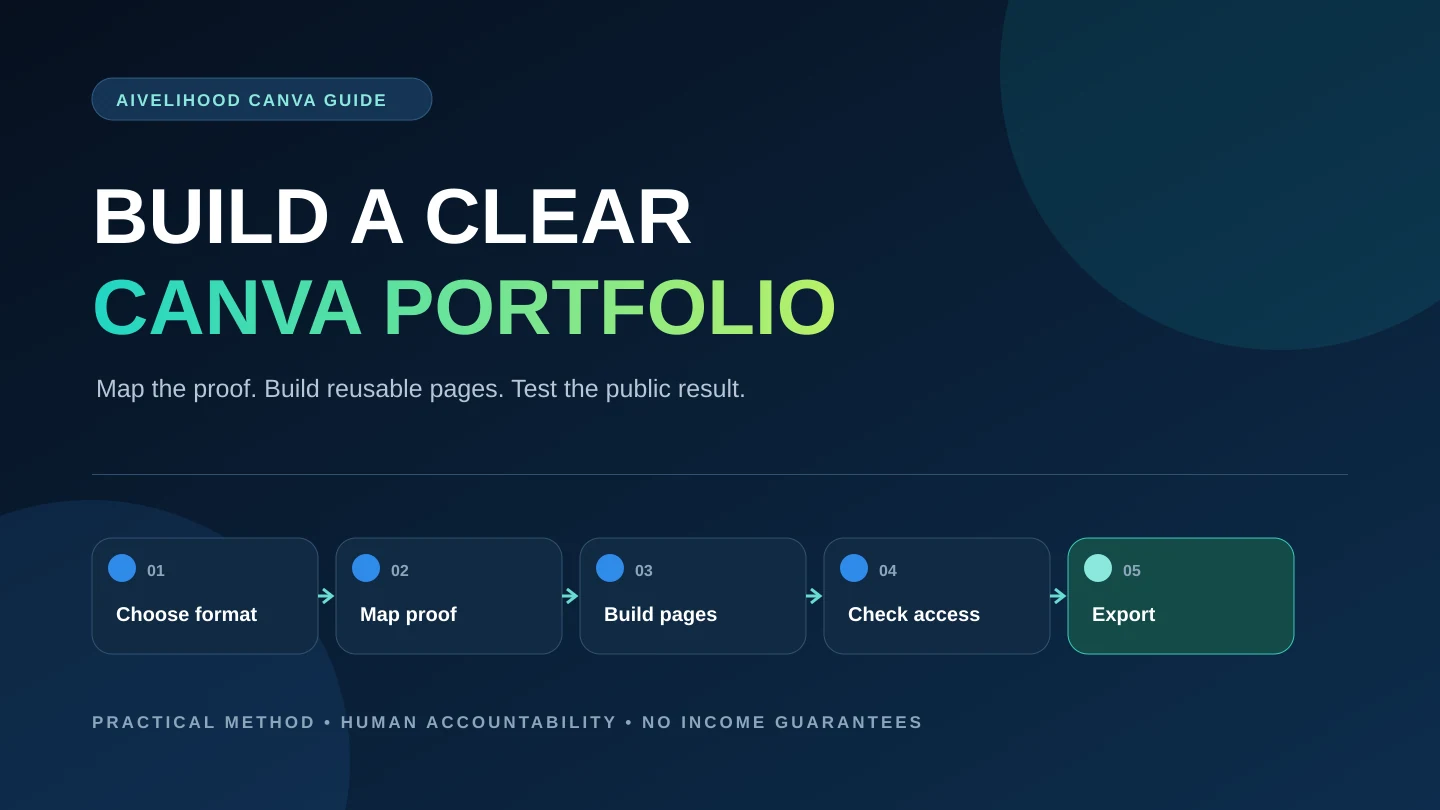
Canva can make a portfolio look organized. It cannot decide what the portfolio needs to prove. If you start by browsing templates, you may finish with attractive pages that say little about your service, judgment, or delivery standard.
This workflow starts outside the design editor. You will choose one offer, map the evidence a client needs, plan three to five honestly labeled case studies, and only then build a reusable page system in Canva. The result can be a compact PDF, a presentation-style link, or a simple portfolio website, depending on how a prospective client will view it.
If you still need to narrow your offer, use the first AI service decision framework or review 15 AI-assisted services with visible deliverables. A focused portfolio is easier to build because every page supports the same buying decision.
Decide what the portfolio must prove
A prospective client is not reviewing your portfolio as a design contest. They are looking for evidence that you understand a relevant problem, can produce a usable deliverable, notice important errors, and communicate the work clearly. Your first planning task is to translate those concerns into proof.
Write one offer sentence before opening Canva: I help [specific client type] turn [defined input or problem] into [specific deliverable] with [important review or handoff standard]. An illustrative version might be: I help independent consultants turn an approved webinar transcript into a source-linked article outline and five edited social posts. This is a constructed example, not a client claim or a promise of results.
Next, list the questions a careful buyer might ask. Can you preserve meaning when shortening source material? How do you check names and claims? What files are included? How many review rounds are in scope? The portfolio should answer the most important questions with artifacts, annotations, and boundaries rather than adjectives such as 'creative,' 'professional,' or 'high quality.'
Offer
One narrow service and a defined deliverable, not a list of every tool you can open.
Reader
The client type, working context, and level of subject knowledge the portfolio is designed for.
Concern
The mistakes, risks, or coordination problems that would make a buyer hesitate.
Evidence
A visible artifact that answers each concern: annotated draft, source map, revision note, checklist, or final file.
Boundary
What the sample does not prove, what is excluded from the offer, and where specialist review would be required.
Next step
One simple action a relevant prospect can take after reviewing the work.
Choose the format around the viewing situation
Format is a delivery decision. A hiring manager opening an attachment, a marketplace buyer scanning on a phone, and a direct prospect following a link do not have the same context. Choose the smallest format that lets the right person understand your offer and inspect the proof.
Canva currently presents portfolio website creation, editable templates, and options to publish, download, or share designs on its official portfolio page. Exact plan limits and feature behavior can change. Confirm the live controls in your own account before promising a format or editable handoff to a client.
| Format | Useful when | Main advantage | Main limitation | Quality check |
|---|---|---|---|---|
| Compact PDF | You need a stable attachment or downloadable file | The page order and layout are controlled | Links, file size, text selection, and mobile reading can suffer | Open the exported file on a phone and a desktop; test every link and zoom level |
| Presentation-style view link | You want fast visual scanning without sending a large file | Updates can be reflected without resending an attachment | Access settings, platform availability, and navigation affect the experience | Test the link while signed out and confirm view-only permission |
| Simple portfolio website | You need one public destination for several case studies | Easy to link from profiles, proposals, and messages | Responsive behavior, accessibility, search visibility, and ongoing maintenance need review | Check keyboard use, mobile reflow, headings, links, and page speed |
| Individual case-study page | One sample is highly relevant to a specific proposal | The client reaches the strongest evidence with little distraction | It gives less context about your wider offer | Include a short offer statement, project label, role, process, outcome, and return path |
For many beginners, a short PDF plus a stable public link is a practical combination: the PDF is portable, while the link can hold updated or expanded case studies. That is an editorial recommendation, not a universal rule. If a marketplace imposes its own image, video, PDF, or link requirements, follow the current platform instructions.
Keep the source design separate from the public delivery. A viewer should not receive an editable master containing notes, unused assets, hidden pages, or client material.
Choose three to five case studies that build one argument
Do not choose samples only because they look different. Choose them because each adds evidence that the previous sample does not. Three coherent case studies can be enough for a useful first version. Add a fourth or fifth only when it proves a different client context, constraint, format, or quality-control skill.
Every unpaid sample must be labeled near its title as a concept project, fictional brief, or self-initiated sample. Do not use a real company's logo, imply that it hired you, invent a testimonial, or describe simulated outcomes as business results. The honest portfolio guide for freelancers without clients covers brief design, rights, labeling, and case-study evidence in more depth.
A coherent first portfolio might include:
- A representative project that shows the exact core deliverable you plan to sell.
- A before-and-after project that makes your editing or decision process visible.
- A small package that proves consistency across two or three related deliverables.
- An alternate audience or constraint, such as a tighter format, accessibility requirement, or incomplete input set.
- A revision case that documents what changed, why it changed, and how the final version was checked.
Match every sample to the offer. If you sell transcript-to-content repurposing, unrelated AI art does not make the offer more credible. Show source handling, structure, editing, factual review, formatting, and a coordinated handoff. If you sell presentation support, show information hierarchy and editable delivery rather than a gallery of isolated cover slides.
Use an evidence matrix with buyer concerns in rows and projects in columns. Keep a project only if it answers an important concern that is otherwise unsupported.
Plan each case study before you design it
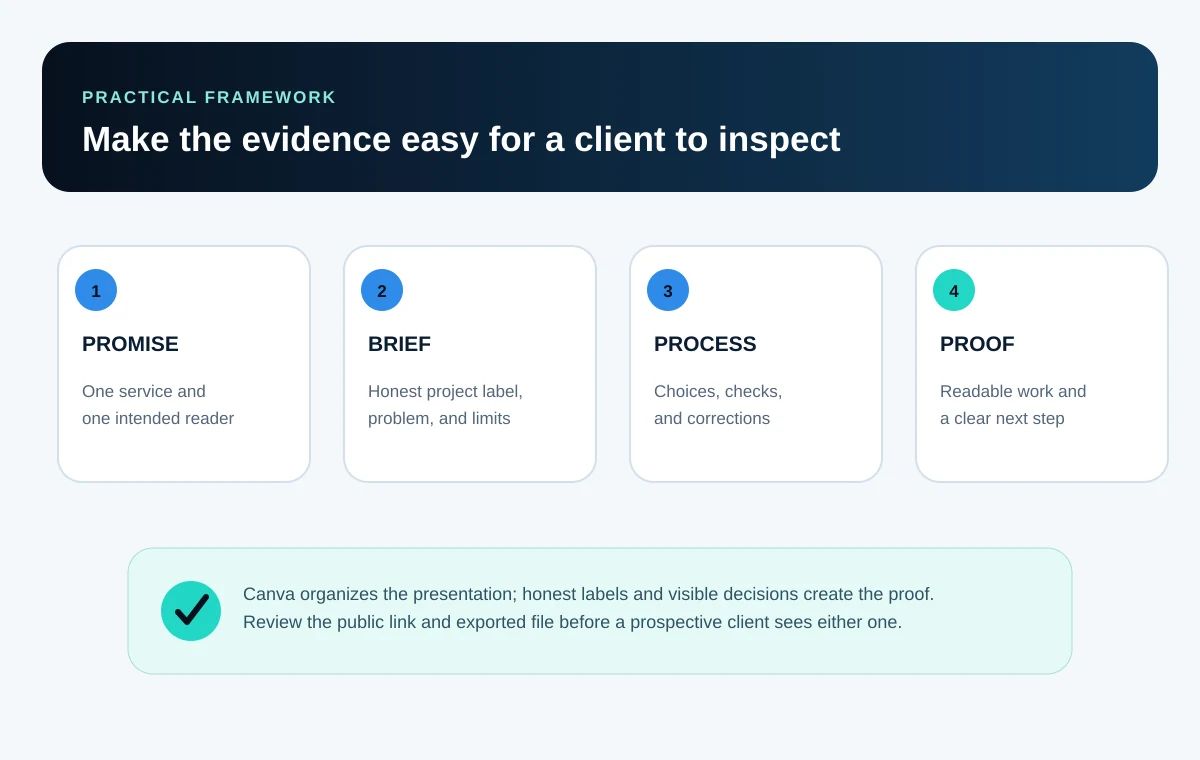
Write the case-study content in a plain document first. This separates editorial work from visual choices and exposes missing evidence early. If you cannot explain the problem, inputs, decisions, checks, and delivered result without decoration, a template will not solve the gap.
| Page | Purpose | Include | Avoid |
|---|---|---|---|
| 1. Label and outcome | Orient the reader | Project label, service, audience, and concrete deliverable | A vague slogan or an implied real client |
| 2. Brief and constraints | Define the problem | Inputs, audience, objective, scope, exclusions, and constraints | A fictional business result presented as fact |
| 3. Process | Show repeatability | Key stages, tools, human decisions, and approval points | A long tool list with no connection to the work |
| 4. Decision evidence | Make judgment visible | One meaningful before-and-after, alternative considered, or annotated correction | Cosmetic changes described as strategy |
| 5. Delivery and QA | Prove readiness | Final deliverables, formats, checks, handoff notes, and known limits | Raw AI output or a screenshot with unreadable detail |
| 6. Relevant next step | Help the reader act | A restrained invitation tied to the service | Several competing buttons or an exaggerated promise |
The example works because the proof is inspectable. A viewer can see what came in, what changed, and how quality was controlled. The page does not need a fabricated revenue figure, reach metric, or client quote. The delivered result is the completed content package; business impact remains unknown because the scenario is fictional. The content repurposing service workflow provides the source map, channel brief, human review, and client-approval steps behind this type of sample. The repurposing tools comparison then shows where Canva belongs—and where a document, source matrix, or media editor is the better fit.
Build a small reusable design system in Canva
Once the evidence is planned, create a master file with a limited set of page roles. Reuse those roles across case studies instead of redesigning every page. Consistency reduces editing time and helps the reader learn where to find the brief, process, proof, and delivery details.
- 1
Set the page size
Choose the primary delivery format first. Do not resize a finished layout and assume the hierarchy will survive.
- 2
Define text roles
Create distinct title, section-heading, body, caption, and label styles. Limit the number of type sizes and test the smallest one on a phone.
- 3
Choose restrained color roles
Assign colors to background, text, accent, borders, and status labels. Do not use color alone to identify an important state.
- 4
Create layout primitives
Build a title block, project facts, before-and-after frame, process row, evidence note, and footer once, then duplicate them.
- 5
Set media rules
Use consistent image ratios, crop behavior, captions, margins, and screenshot framing. Keep text legible rather than shrinking a full desktop capture.
- 6
Test one case study
Complete a representative project before building the remaining pages. Fix the system where real content exposes awkward spacing or weak hierarchy.
A template can provide a starting grid, but it is not a content strategy. Remove decorative pages that do not support the offer. Replace sample copy completely. Check the rights and plan requirements of every template, photo, illustration, icon, font, and other element you use before export or client transfer.
Use visual emphasis sparingly. Give the project problem, strongest evidence, and final deliverable a clear hierarchy; let supporting notes remain supporting notes.
Canva is only one part of the workflow. The practical AI tools selection guide can help you decide when another tool solves a real task. Do not buy a larger stack to make the process look sophisticated.
Show before, process, and after without inventing a success story
A useful before-and-after comparison shows a meaningful decision. Examples include correcting an unsupported statement, reorganizing information around the reader's task, improving a visual hierarchy, reconciling a spreadsheet exception, or turning an ambiguous request into a defined deliverable. A font change alone rarely proves the skill a buyer needs.
Keep the comparison fair. Use the same crop, scale, and surrounding context. Explain what was wrong in the first version, what you changed, and how you checked the revision. If the 'before' version was deliberately made bad for the portfolio, label it as an illustrative draft rather than pretending it came from a client.
| Evidence | Accurate label | Misleading alternative to avoid |
|---|---|---|
| Self-created brief | Fictional brief created to demonstrate the workflow | Client brief |
| Deliberately rough draft | Illustrative first draft for comparison | What the client sent |
| AI-assisted text or image | AI-assisted draft, edited and reviewed by the creator | Entirely handmade, if that is untrue |
| Delivered files | Concept deliverables: outline, five drafts, and review notes | Campaign that increased engagement |
| Peer feedback | Informal feedback used to improve clarity | Client testimonial |
Describe what task AI assisted, what inputs were appropriate to share, which human decisions changed the output, and what checks caught errors. You need not publish every prompt, but do not imply that automation removed the need for judgment.
Never upload confidential information, personal data, unreleased assets, or material you lack permission to process for a portfolio screenshot. Review each tool's current terms, redact sensitive details, and retain a private record of sources and permissions when needed.
Design for reading, not only for visual impact
A portfolio fails if the evidence becomes unreadable when exported or opened on a small screen. Test the final delivery, not only the Canva editor. Text that looks comfortable at a large editing zoom may be too small in an actual PDF preview or mobile browser.
W3C guidance recommends sufficient text contrast, text alternatives for informative images, and layouts that work across viewport sizes. WCAG's minimum contrast guidance specifies 4.5:1 for normal text and 3:1 for qualifying large text, with defined exceptions. Treat these as baseline checks, not as proof that the complete portfolio is accessible.
- Use real text where the format allows it instead of placing essential paragraphs inside screenshots.
- Keep body copy large enough to read at the intended viewing size; do not solve overflow by repeatedly shrinking text.
- Check foreground and background contrast, including text over images, buttons, captions, and diagrams.
- Do not rely on color alone for categories, status, approval, or before-and-after labels.
- Write concise text alternatives for meaningful images when the publishing format supports them; provide nearby text equivalents for complex diagrams.
- Use meaningful headings and a predictable reading order rather than positioning text only for decoration.
- Make link text describe its destination, and verify that linked text remains recognizable without color alone.
- Crop screenshots to the evidence being discussed and reproduce important small text in the caption or body.
- Open the public version at a narrow viewport and check for clipped text, tiny controls, horizontal scrolling, and unclear navigation.
- Ask another person to find your offer, one project brief, one quality-control step, and the next action without coaching.
Canva describes tools for checking contrast, typography, and alternative text, plus accessible PDF support. Automated checks cannot understand every reading-order or context problem, so review the export manually and use specialist testing when appropriate.
Export and share without exposing the working file
Before sharing, duplicate the working file and prepare a clean public version. Remove notes, rejected pages, hidden options, private comments, personal contact details you do not intend to publish, and any asset you cannot display. Check links, file names, dates, and project labels after export.
Canva's privacy policy describes restricted and link-based sharing settings and warns that 'anyone with the link' access is inappropriate for confidential information. Review the live permission shown in the share dialog, test the public link while signed out, and never assume a copied URL is private.
| Method | Before release | Viewer test | Keep separately |
|---|---|---|---|
| PDF attachment | Compress responsibly, preserve legibility, set a professional filename, and check embedded links | Open in two PDF viewers and on a phone | Editable source and a version log |
| View-only design link | Confirm the intended permission and remove notes or unused pages | Open in a signed-out or private session without edit access | Master file with restricted access |
| Published portfolio website | Check responsive layout, navigation, text alternatives, page title, and contact route | Use phone and desktop widths; follow every public link | Source content, media originals, and update checklist |
| Marketplace upload | Follow current file, dimension, rights, and external-link rules | Preview within the marketplace interface | Full-resolution case study and source record |
Licensing deserves its own check. Canva's agreement distinguishes content types and sets terms for exports and client designs. Record material sources, read the current terms for the intended use, and replace anything whose rights are unclear.
For future client work, obtain permission before publication and respect confidentiality, embargoes, and platform terms. Redacting a name may not protect identifiable strategy or data.
Use a two-pass workflow instead of designing and writing at once
- Pass 1
Define the offer
Write the client type, problem, deliverable, review standard, boundary, and next step in one page of notes.
- Pass 1
Map the evidence
List the buyer's concerns and match each concern to an artifact, annotation, comparison, or checklist.
- Pass 1
Draft the case studies
Write the labels, briefs, decisions, process notes, delivered results, and limitations before choosing layouts.
- Pass 2
Build the page system
Create reusable title, facts, process, comparison, evidence, delivery, and footer components in the chosen format.
- Pass 2
Place and edit
Fit the strongest evidence into the system. Cut repetition before reducing type size or adding pages.
- Pass 2
Run release checks
Test accuracy, rights, privacy, accessibility, responsive reading, links, permissions, and exported files.
Draft in a plain document so missing evidence is cheap to fix. Move into Canva after the page sequence is stable, and keep a reusable release checklist beside the master file.
The first version needs one relevant offer, three defensible projects, readable pages, accurate labels, and a working next step—not elaborate motion or a large brand system.
Fix the mistakes that weaken otherwise good samples
- Starting with a template. Fix it by writing the offer, concerns, evidence map, and case-study copy first.
- Listing tools as proof. Fix it by showing the deliverable, decision, correction, and review process the tools supported.
- Presenting every past project. Fix it by keeping three to five samples that form one coherent argument.
- Inventing a client frame for concept work. Fix it with an immediate, plain-language fictional or self-initiated label.
- Using decorative before-and-after slides. Fix it by showing one important change and explaining the criterion behind it.
- Shrinking text to preserve a layout. Fix it by cutting copy, splitting the page, or changing the layout role.
- Publishing full-screen screenshots with unreadable detail. Fix it by cropping the evidence and reproducing essential text nearby.
- Sharing an editable master. Fix it by creating a clean public copy and testing permissions while signed out.
- Ignoring asset rights. Fix it by recording sources and checking current license terms before export or transfer.
- Using several generic CTAs. Fix it by offering one next step that matches the service and the reader's stage.
- Treating the portfolio as finished forever. Fix it with a review date and a rule for replacing weak or outdated work.
A clear portfolio also improves the rest of your freelance system. It reveals how long delivery takes, which revisions are expensive, what intake details are missing, and which evidence belongs in a proposal. Use those observations when you set project or package pricing rather than estimating only from generation time.
Run this release checklist
- The opening states one service, client type, and concrete deliverable without an income or performance promise.
- Every concept project is labeled as fictional, self-initiated, or unpaid where a viewer will see it immediately.
- Each case study includes the brief, inputs, constraints, role, process, meaningful decisions, delivered result, quality checks, and limitations.
- No project implies a client, testimonial, partnership, payment, metric, or business result that did not exist.
- AI assistance is described accurately, and human review is visible where it matters.
- All names, claims, numbers, citations, links, dimensions, file types, and project dates have been checked.
- Images, fonts, templates, logos, and other assets have documented sources and suitable rights for the intended display or transfer.
- Confidential, personal, restricted, or identifying material is absent from the public version.
- Body text, captions, diagrams, contrast, reading order, and link labels are usable in the final format.
- The PDF or public page has been tested on a phone and desktop at normal viewing size.
- Public links work while signed out, permissions are view-only where intended, and the editable master remains restricted.
- The contact or next-step route works and does not promise an unavailable service, response time, or outcome.
- A last-reviewed date and source files are recorded so the portfolio can be updated without rebuilding it.
Put the portfolio into the next client-facing step
Publish one coherent version, then use it in a controlled test. Choose a marketplace or outreach route that fits the service rather than opening every channel at once. The Fiverr and Upwork beginner comparison explains the difference between packaging a service and responding to posted work without promising that either platform will produce clients.
For proposal-based work, select the single case study that answers the job's main concern. Link directly to it and explain the relevant evidence in one sentence. The guide to writing an Upwork proposal with AI without sounding generic shows how to connect truthful proof to a job post and remove invented claims.
If you need the complete order of operations, return to Start Here or schedule the work with the 30-day AI freelance roadmap. The immediate next action is smaller: draft one case study in plain text and list the evidence that will go on each page before opening Canva.
Frequently asked questions
Is Canva good enough for a professional freelance portfolio?
Canva can be a practical presentation tool for a PDF, presentation-style design, or simple portfolio website. Professional credibility still depends on relevant evidence, accurate labels, readable delivery, suitable rights, and a working client next step. The tool cannot replace those decisions.
Should I make a PDF portfolio or a website?
Choose based on the viewing situation. A PDF is portable and keeps a controlled page sequence; a website is easier to link and update but needs responsive, accessibility, navigation, and maintenance checks. A short PDF plus a stable public case-study link can work when both are tested, but it is not required.
How many projects should a beginner include?
Three focused, well-explained projects can be more useful than many unrelated outputs. Add a fourth or fifth only when it proves a different constraint, format, audience, or quality decision. Remove work that repeats weaker evidence.
Can I use fictional projects in my portfolio?
Yes, as capability evidence when they are labeled clearly as fictional briefs, concept projects, or self-initiated samples. Do not imply a real client, payment, testimonial, partnership, campaign result, or permission that did not exist, and use material you have the right to display.
Should I show the AI prompts I used?
Usually the more useful evidence is the workflow: what AI assisted, what inputs were appropriate, what decisions you made, what you changed, and how you checked the output. Share prompt details only when they explain a relevant capability and do not expose confidential or restricted information.
Can I give a client my editable Canva file?
Only when the agreement and the current licenses permit the intended transfer and the file contains no private notes or unrelated assets. Canva's Content License Agreement includes specific terms for client designs. Review the live terms and use a written client agreement rather than assuming every element can be transferred or reused freely.
How do I make a Canva portfolio easier to read on a phone?
Use a simple hierarchy, short paragraphs, readable body type, strong contrast, focused image crops, and a format that reflows or remains legible at the intended width. Test the exported or published version on a real narrow screen instead of relying only on the editor preview.
Do I need Canva Pro to follow this workflow?
The workflow is based on planning, evidence, case-study writing, and quality control rather than a particular paid feature. Check Canva's current plan details for the templates, assets, exports, sharing controls, and brand features you intend to use. Pay only when a verified requirement justifies it.
Does a polished portfolio guarantee freelance clients?
No. A portfolio can make your offer and evidence easier to evaluate, but it cannot guarantee discovery, replies, contracts, earnings, or another business outcome. Platform access, fit, timing, communication, pricing, competition, and client decisions remain uncertain.