
The best content repurposing tool is not the one with the longest feature list. It is the one that removes a specific bottleneck without hiding the source, creating a new privacy risk, or making the final work harder to inspect.
A freelancer turning an approved podcast into short video clips has a different problem from someone turning a research report into an email and carousel. The first may need transcript-linked media editing. The second may need source navigation, careful writing, and visual layout. Buying the same five-tool stack for both workflows adds cost before it adds value.
This comparison starts with the controlled process described in the AI content repurposing service workflow: permission, source mapping, channel briefs, human review, and client approval. If you are still deciding whether repurposing should be your first offer, use the first-service decision framework before choosing software.
Choose tools by workflow stage, not popularity
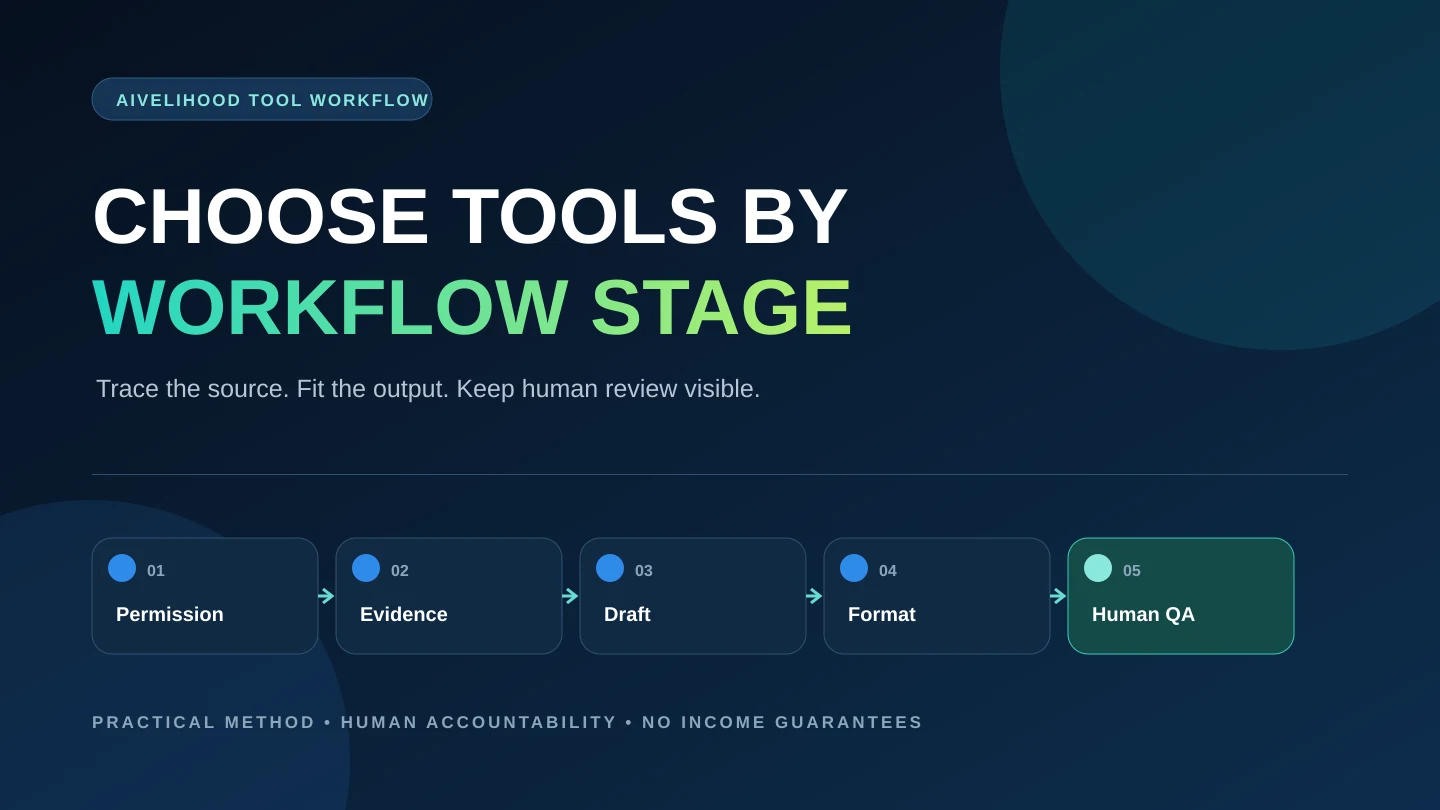
A repurposing stack should support five jobs: receive permitted source material, find and trace the evidence, transform it for a defined channel, format the output, and run human quality control. One tool may cover several jobs, but none removes your responsibility for the final package.
Write the source and deliverables before opening a product page. For example: one client-approved interview recording in; one corrected transcript, three short clips, and five edited social drafts out. That sentence exposes the real bottlenecks. If the transcript is difficult to navigate, consider a transcript-linked editor. If the source is already clean text, a document, a source matrix, and a design tool may be enough.
The broader AI tool selection guide uses the same principle: select software for a repeated delivery constraint, not for an impressive demo.
Source fit
Can the tool accept the approved file type without bypassing a platform rule or client restriction?
Traceability
Can you connect a quotation, clip, or claim back to the exact source location?
Output fit
Does the tool produce a file, aspect ratio, caption format, or editable handoff the client can actually use?
Review burden
Can you independently detect transcript, factual, visual, accessibility, privacy, and licensing errors?
Fallback
Can the project continue if a feature, account, export, or plan limit changes?
Quick comparison: where each option earns a place
Use this table as a routing guide. The choices are not interchangeable: Gemini Notebook (formerly NotebookLM) and ChatGPT help with text and source work, Descript and CapCut work with spoken media and clips, Canva packages visual outputs, and a manual document-and-spreadsheet stack keeps evidence and approvals visible.
| Option | Best workflow job | Useful when | Main limitation | Manual or free fallback |
|---|---|---|---|---|
| Manual documents + source matrix | Permission log, evidence map, briefs, QA, and delivery | The package is small and traceability matters more than automation | Slower to navigate and update across many outputs | This is the fallback: document editor, spreadsheet, folders, and checklists |
| Gemini Notebook | Navigating an approved source set with inline citations | You need to compare transcripts, reports, notes, or client-supplied references | It cannot fix missing, weak, or unauthorized sources; some imports omit context | Read the source and keep a manual source matrix |
| Descript | Transcript-linked editing of audio or video | The deliverable includes a corrected transcript, rough cut, captions, or clips | Transcription and AI edits require review; minutes and credits constrain usage | Transcript editor plus a conventional audio/video editor |
| CapCut | Short-form video assembly, reframing, and captions | You need editable social clips and can inspect timing, framing, text, and assets | Availability varies; automated highlights and captions can be wrong; license and data terms matter | Manual timeline editor and separately reviewed captions |
| ChatGPT | Channel briefs, structures, draft alternatives, and editing | You already have a verified source map and defined audience | Output can be inaccurate or generic and must not invent evidence or permission | Write from the source map in a document using a channel checklist |
| Canva | Carousels, thumbnails, simple video layouts, and channel sizing | The evidence and copy are approved and need consistent visual packaging | Templates and assets do not prove accuracy; license and client-transfer rules require review | Client-supplied assets and a simple layout or slide tool |
Start with the manual minimum stack
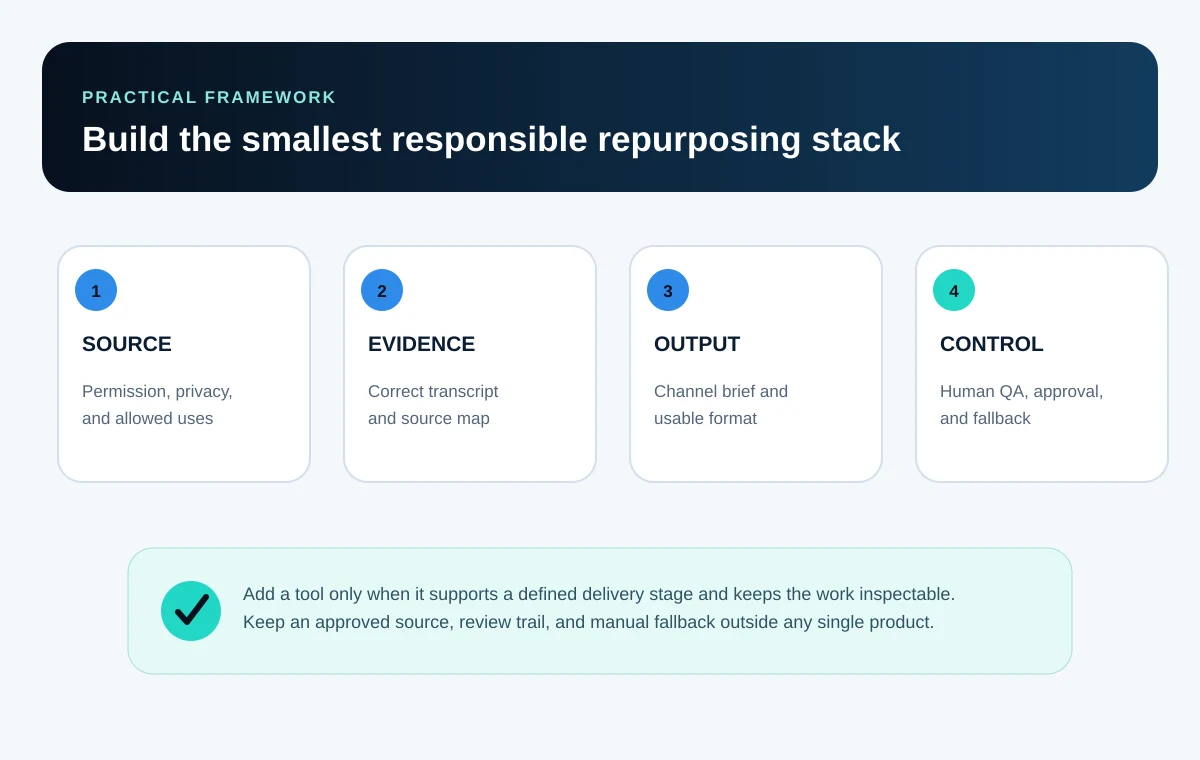
A document editor, spreadsheet, organized folder, and ordinary media player can support a small text-output or planning workflow. The spreadsheet holds source locations, claims, quotations, approvals, output status, and open questions. The document holds channel briefs and drafts. The folder separates source files, working files, approvals, and final exports. Audio or video deliverables still require an appropriate editor.
This setup is less exciting than an all-in-one platform, but it exposes the work. You can see whether the bottleneck is transcription, locating evidence, drafting, clip editing, design, or client review. Add software only after the bottleneck repeats.
For someone starting from zero, the Start Here path and the 15-service comparison help define a small deliverable before any subscription decision.
- One approved source folder with ownership and allowed-use notes.
- One evidence matrix with timestamps, page references, claim status, and uncertainties.
- One brief per output channel, including audience, purpose, format, voice, and prohibited claims.
- One review log covering facts, quotations, rights, privacy, accessibility, and formatting.
- One final-delivery folder containing only approved files and a clear version label.
Source navigation: Gemini Notebook or a manual evidence matrix
Google currently calls this product Gemini Notebook; it was previously known as NotebookLM. It is useful when a project includes several approved sources and the main problem is finding what each source says. Google's documentation describes source-grounded responses with inline citations and support for files, websites, public YouTube videos with captions, and local audio, among other source types.
The citation is a navigation aid, not a truth certificate. Open the cited passage, judge the source, record relevant context, and check whether later files disagree. A public YouTube import uses the available transcript rather than the full visual content, so it may miss a chart, demonstration, correction, or on-screen label. An imported web page also does not bring in every nested page or visual.
Use a manual evidence matrix when the source set is small, the client requires a local process, or the material should not be uploaded. For personal-account use, Google says Gemini Notebook data is not used to train the product unless feedback is submitted; submitted feedback may expose the interaction and uploads for review. Client permission, contract terms, account type, retention, access, and deletion still need review.
Gemini Notebook is a reasonable fit when
- The client has approved the source set and the account/process meets the project's data requirements.
- You need to compare several transcripts, reports, notes, or references and follow citations back to them.
- The deliverable is based on source synthesis rather than detailed video editing.
Stay manual when
- The source is confidential, restricted, incomplete, or not approved for third-party processing.
- The key evidence appears in visuals, tone, or demonstrations that the imported text does not capture.
- The project is small enough that direct review is clearer than another upload and workspace.
Spoken-media editing: Descript versus CapCut
Descript and CapCut overlap, but their useful starting points differ. Descript centers transcript-linked editing: changing the transcript can change the underlying audio or video. Its current help documentation also covers clip creation, captions, show-note and social-draft assistance, while its plans measure imported or recorded media and AI-feature usage through media minutes and credits.
CapCut centers visual timeline and short-form production. Its current official pages describe automatic captions, editable caption text and timing, and a long-video-to-short workflow that proposes clips for review. Those suggestions are a rough cut, not an editorial decision. Check whether a selected moment stands alone, whether the framing is correct, and whether every caption matches the audio.
| Decision | Descript | CapCut |
|---|---|---|
| Choose it first when | The transcript is the main editing surface and spoken words drive the cut | The visual clip, aspect ratio, caption style, and timeline are the main delivery work |
| Strong workflow role | Transcript correction, rough cuts, spoken-media navigation, clips, and captions | Short-form assembly, reframing, caption styling, timing, and export |
| Human review | Names, terms, speaker labels, cuts, retakes, context, captions, and export | Clip meaning, hook, framing, safe zones, captions, audio, visual assets, and export |
| Cost pressure | Media-minute and AI-credit allowances can make repeated processing a paid-plan question | Feature, export, account, and regional availability can change the practical workflow |
| Important boundary | A transcript edit can still remove needed context or select the wrong speaker | An automatically selected highlight is not proof that the clip is useful, accurate, or approved |
Writing and channel adaptation: ChatGPT after the source map
ChatGPT can help turn selected evidence into outline options, channel briefs, shorter variants, questions for the client, and draft alternatives. It is most useful after you have decided what the source supports and what each output must do.
Do not ask for an entire multi-channel package in one prompt. Work one deliverable at a time. Supply the permitted evidence, audience, purpose, format, voice constraints, source references, and claims that must not change. Then compare alternatives and edit the chosen version yourself.
OpenAI's current terms require users to have the necessary rights for inputs and to evaluate outputs for accuracy and suitability, including human review. Consumer Data Controls allow users to choose whether new conversations help improve models, but a setting does not replace client consent, contractual requirements, or an appropriate business process.
- Every factual statement and quotation traces to the approved source or a separately approved reference.
- The draft does not imply that a speaker made a stronger claim than the source supports.
- Each channel version has its own purpose and structure instead of being the same paragraph at different lengths.
- Names, numbers, dates, links, calls to action, and required caveats are checked manually.
- Generic filler, invented transitions, repetition, and unsupported certainty are removed.
Visual packaging: Canva after the copy is approved
Canva can turn approved copy into a carousel, thumbnail, simple video layout, slide, or channel-sized asset. Its official product pages describe video resizing and common editing controls, while its Content License Agreement defines how Free, Pro, Branded, Education, and other content may be used.
The tool does not verify the source or make a template distinctive. Check reading order, hierarchy, contrast, captions, safe areas, cropping, brand rules, export settings, and every asset's license. Client handoff also matters: Canva's current license permits transferring a completed design containing Canva content to one client under a written agreement and subject to client compliance; standalone licensed content cannot be transferred.
If your main need is portfolio presentation rather than client content, use the Canva freelance portfolio workflow for case-study structure, rights checks, public-link testing, and exports.
Pay for Canva only when a repeated requirement justifies it
- A paid resize, brand, export, storage, collaboration, or content feature solves a documented delivery constraint.
- The service price can absorb the ongoing cost without relying on hoped-for future clients.
- The client accepts the workflow and receives a usable, permitted final format.
- You retain a manual or export fallback if the feature or plan changes.
Build the smallest stack for the promised deliverable
Start with the output, then add only the tools needed to make it accurate and deliverable. The following stacks are editorial examples, not mandatory purchases or evidence that one product is universally better.
| Deliverable | Small starting stack | Add only if | Primary review point |
|---|---|---|---|
| Approved article to email + social drafts | Document editor + evidence matrix; optional ChatGPT for draft alternatives | The manual drafting bottleneck repeats and approved data handling is in place | Meaning, claims, voice, links, and channel fit |
| Podcast to corrected transcript + show notes | Media player/editor + transcript editor + evidence matrix | Descript's transcript-linked workflow saves measured review time | Speaker labels, terms, timestamps, quotations, and omitted context |
| Long video to three short clips | Video editor + corrected captions + client approval sheet | Descript or CapCut fits the media, account, privacy, export, and region requirements | Standalone meaning, framing, captions, source rights, and final playback |
| Webinar to article outline + carousel | Evidence matrix + document editor + Canva | Gemini Notebook helps navigate several approved sources or a paid Canva feature solves a repeated layout constraint | Source traceability, visual hierarchy, licenses, and export |
| Mixed repurposing package | One source system + one writing system + one media/design system | The expanded package has a stable scope, price, QA process, and client reviewer | Version control and consistency across every deliverable |
Account for setup, processing, human review, exports, revisions, and subscriptions when quoting. The AI freelance pricing method explains why generation time alone is not the cost of delivery.
Illustrative beginner use case: one webinar, four outputs
A fictional consultant supplies an owned 22-minute webinar recording, approved transcript, brand guide, and written permission for one email draft, three LinkedIn drafts, and one six-slide carousel. Publishing and video clips are outside scope.
The freelancer starts with a spreadsheet source map and document editor. The approved transcript is short, so there is no reason to buy a transcription tool. The freelancer uses ChatGPT only to propose two email structures from selected source-map entries, then writes and verifies the final draft. Canva packages the approved carousel copy using client-supplied assets.
The final folder contains the source map, copy files, editable carousel link or agreed export, an asset-rights note, open questions, and the client's approval version. Every claim and quotation has a source location. No reach, engagement, lead, or revenue result is promised.
This stack works because it matches the outputs. If the scope later adds three edited clips every week, a transcript-linked or short-form video tool becomes worth testing. The upgrade follows a repeated requirement instead of anticipation.
Kept manual
Permission record, evidence map, approval log, and final QA.
AI-assisted
Two structure options based only on selected, permitted evidence.
Designed
One approved carousel in the client's format and brand system.
Not claimed
No client result, platform performance, personal test, or guaranteed outcome.
Pay only when the bottleneck is measured
A free plan is not automatically cheaper if its export, watermark, usage limit, collaboration model, or licensing creates rework. A paid plan is not automatically professional if the workflow still lacks source control and review.
Run the same representative task several times with permitted, non-sensitive material. Record setup time, processing time, correction time, export quality, failures, and handoff friction. Upgrade only when the paid feature repeatedly removes enough real work or risk to justify its ongoing cost.
If you need a finished package rather than another tool to learn, compare doing the work yourself with commissioning one small, reviewable delivery. The hiring checklist for a scoped AI-assisted project helps you agree source permissions, sample outputs, revisions, and acceptance criteria before ordering. For client work, get approval before subcontracting or sharing source material; outsourcing does not remove your review responsibility.
- The paid feature supports a deliverable clients already request or a portfolio offer you have validated.
- The exact plan includes the required input, export, collaboration, privacy, and commercial-use conditions.
- Monthly limits cover realistic production plus revisions, not just the first pass.
- The service price accounts for subscription cost, review time, and failed generations or exports.
- A documented fallback lets you finish the project if the tool is unavailable or changes.
Mistakes that make a tool stack fragile
| Mistake | Why it fails | Correction |
|---|---|---|
| Buying before defining deliverables | You cannot tell which feature creates value | Write source, outputs, review standard, and handoff first |
| Uploading any public link | Public viewing does not prove reuse rights or approved data handling | Obtain an approved source and record permitted uses |
| Trusting automated captions | Names, terms, numbers, speakers, and timing can be wrong | Review against the audio and correct the final caption track |
| Treating a citation as verification | The cited source can be incomplete, outdated, or weak | Open the passage and judge the underlying evidence |
| Using one AI draft on every channel | The context, reader, structure, and action differ | Write a separate channel brief and edit each version |
| Using any template or stock asset | The license may not cover commercial use or client transfer | Check the exact asset, plan, license, and handoff conditions |
| No fallback or version history | A tool failure or bad edit can block delivery | Keep source files, approved versions, exports, and a manual path |
| Calling automation quality control | A polished output can still be inaccurate or inappropriate | Use an independent human checklist and client approval |
Final quality-control checklist
- Permission: the source, speakers, brand assets, music, images, and requested uses are approved.
- Evidence: every claim, quotation, name, number, and link traces to a reliable source location.
- Meaning: edits and clips preserve context and do not manufacture a stronger conclusion.
- Channel fit: each output has a defined audience, purpose, structure, length, and next action.
- Media: captions, speaker labels, timing, framing, audio, safe areas, and playback are reviewed.
- Design: hierarchy, contrast, reading order, alt text or captions, cropping, and brand rules are checked.
- Rights and privacy: inputs, generated material, templates, stock assets, exports, retention, and access match the agreement.
- Delivery: filenames, editable files, exports, versions, approvals, exclusions, and revision instructions are clear.
- Claims: the package contains no invented client result, product test, partnership, performance metric, or guarantee.
- Fallback: source files and approved versions remain available outside a single fragile workflow.
Run a seven-day tool test before changing your stack
Use material you own or are permitted to transform. The goal is not to publish a review after one impressive output; it is to learn whether the workflow stays accurate and controllable.
- Day 1
Lock the source and permissions
Use one permitted source, define the outputs, and record what may not be changed or inferred.
- Day 2
Test source traceability
Check transcript names, quotations, numbers, timestamps, and citations against the original.
- Day 3
Adapt two channels
Create two different output formats and verify that each keeps the source meaning and channel purpose.
- Day 4
Stress the media workflow
Use unclear audio or a context-dependent segment; review clip boundaries, captions, framing, and missing visual evidence.
- Day 5
Run a consistency gate
Compare claims, terminology, calls to action, caveats, and brand rules across every output.
- Day 6
Test delivery
Export the promised formats, open them outside the editing account, and check accessibility, rights notes, filenames, and revision readiness.
- Day 7
Decide with complete effort
Record setup, correction, review, export, and communication work; keep, reject, or defer the tool and name the manual fallback.
If the stack works, turn the test into an honestly labeled portfolio sample. Show the source type, decisions, corrections, final outputs, and limits rather than inventing a client result.
Recheck official sources before client work
Tool features, plan limits, regional access, data practices, and license terms change. Review the official pages below for the specific account, feature, input, asset, and export you plan to use. If a client's agreement is stricter, follow the agreement or choose another process.
Official sources to recheck
- Descript Help - Edit like a doc
- Descript Help - Create clips from your content
- Descript Help - Export subtitles
- Descript Help - Media minutes and AI credits
- Descript - Current plan comparison
- CapCut Help - Recognise subtitles / Auto Captions
- CapCut - Long video to short clips
- CapCut - Privacy Policy (US version)
- CapCut - Materials License Agreement (US version)
- Google Gemini Notebook Help - Learn about Gemini Notebook
- Google Gemini Notebook Help - Add or discover sources
- OpenAI - Terms of Use
- OpenAI Help Center - Data Controls FAQ
- OpenAI Academy - Work with files
- Canva - Video resizer
- Canva - Content License Agreement
- W3C WAI - Making audio and video media accessible
Frequently asked questions
What is the best content repurposing tool for a beginner?
There is no universal winner. Start with documents, a source matrix, and one tool for the hardest delivery step. Choose Descript for transcript-led spoken-media editing, CapCut for inspected short-form video assembly, Gemini Notebook for navigating approved source sets, ChatGPT for bounded drafting, or Canva for visual packaging only when that job exists in the offer.
Can I start content repurposing without paid tools?
Yes. A document editor, spreadsheet, media player or editor, organized folders, and a quality-control checklist can support a small package. Add a paid feature after repeated tests show that it removes a real delivery constraint and the service can absorb the cost.
Should I use Descript or CapCut for podcast clips?
Choose based on the main editing surface. Descript is suited to transcript-led editing and spoken-media navigation. CapCut is suited to visual short-form assembly, framing, caption styling, and timeline work. Both require transcript, context, rights, privacy, and final-export review.
Can Gemini Notebook replace transcript review?
No. It can help navigate supported approved sources and provide inline citations, but imported transcripts may contain errors or omit important visual context. Open cited passages, review the original source, and keep an evidence matrix for client work.
Can ChatGPT turn one source into every channel format?
It can propose structures and drafts from supplied evidence, but the freelancer must define a separate brief for each audience and channel, verify every claim, preserve context, edit the language, and obtain client approval. One generated paragraph at several lengths is not a complete repurposing workflow.
Can I use Canva templates and stock assets in client work?
Only when the current license for the exact content, account, export, intended commercial use, and client handoff permits it. Canva distinguishes several content categories and includes conditions for client designs. Review the live agreement and use a written client arrangement.
How many tools should a content repurposing freelancer use?
Use the fewest needed to receive the approved source, trace evidence, produce the promised formats, review quality, and deliver usable files. A small package may need only a document, spreadsheet, and one media or design tool.
Do these tools guarantee faster delivery or better results?
No. Tool performance depends on the source, account, settings, workflow, review skill, and output. Measure the complete task, including corrections and exports. Tools do not guarantee audience growth, leads, client approval, income, or any other business result.