
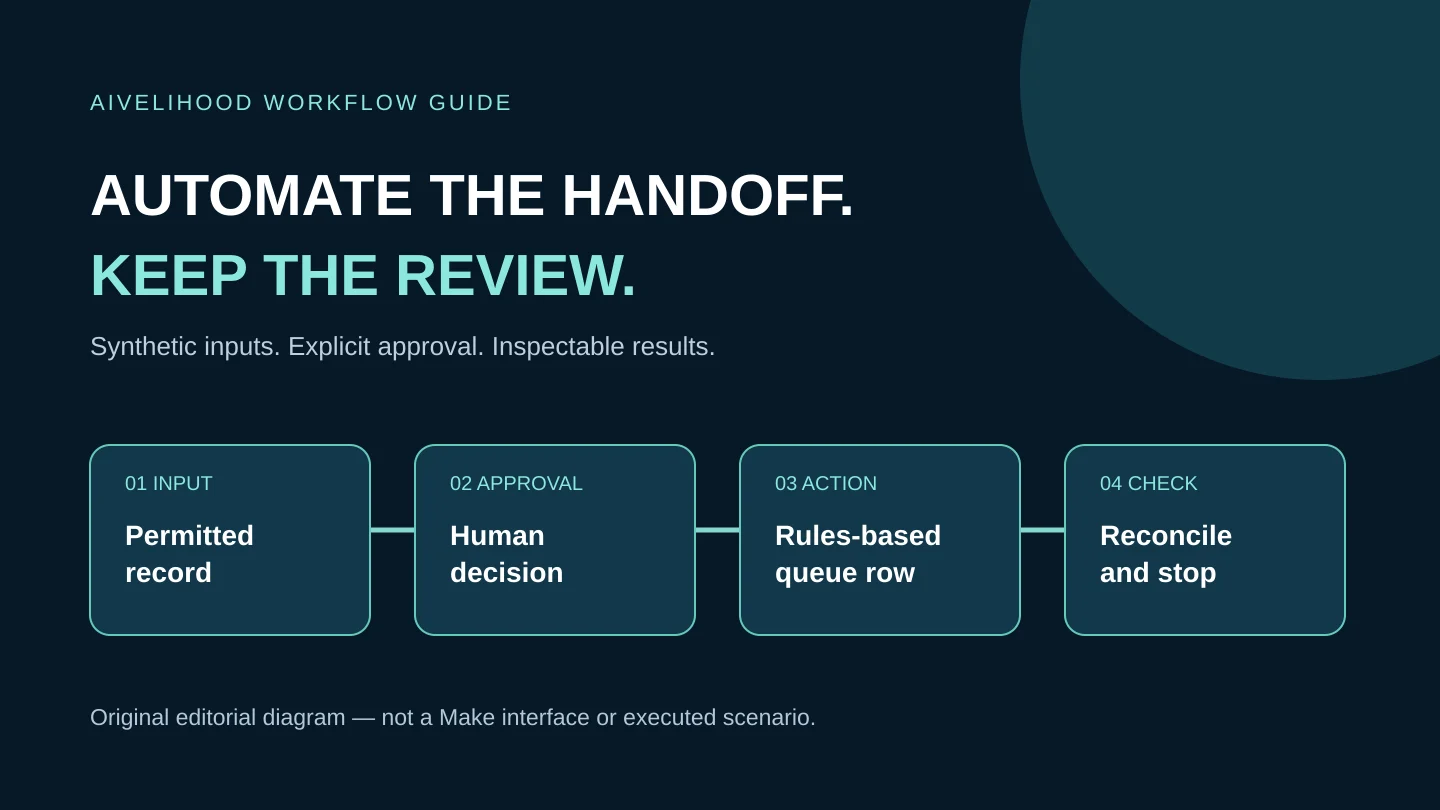
An approved request needs copying into a work queue. The fields are predictable, but someone still has to decide whether to accept the client. That is a useful starting point for Make: connect the repeatable steps and leave the decision with a person.
The first exercise should be small enough to inspect by hand. Here, you will define the input and expected output, use fictional records, and work out what to do if only half the job finishes. Client messages and live records stay outside the test. If each request still needs a different interpretation, resolve that first; more connected apps will not make the brief clearer.
Still deciding what to automate? Start with the AI automation framework for freelancers. If the task is clear but the platform is not, use the Make vs Zapier workflow comparison to weigh cost, recovery, and client handoff.
Choose a repeated task, not an impressive demo
Describe the task as you do it now: receive a request, check the fields, approve it, copy the information, review the result, and mark it complete. Then draw a line around the steps that follow fixed rules. You are automating part of the job, not the whole client relationship.
For this illustrative project, move one approved fictional intake record into an internal review queue. Keep client acceptance, pricing, and proposals outside it. You should be able to compare the two rows and finish the job manually if the automation stops.
| Practice scope | Human decision retained | Do not add at the start |
|---|---|---|
| Copy an approved synthetic intake row to a review sheet | Is the request complete and appropriate? | Automatic client acceptance or email |
| Prepare an internal delivery checklist from agreed fields | Does it match the signed scope? | Changing contracts or payment records |
| Organize a permitted content-production queue | Are source rights and claims cleared? | Publishing generated material without review |
Understand what a scenario actually does
Make calls a workflow a scenario. Its modules read or change information; a later module can use values returned by an earlier one. Filters decide which information continues. Connections grant access to services, and the schedule determines when the scenario runs.
For the intake example, read those controls separately: the connection determines what the account can access, the filter checks approval, and the destination module writes the queue row. A good filter cannot narrow an overly broad authorization. Nor does a successful search prove that the write finished or that its contents match the client's instructions.
You do not need an AI module to copy approved fields. Fixed rules are easier to judge for that task. Add AI only when interpretation is needed and a person can review its uncertain output. The repurposing-service workflow covers the meaning, source-rights, and editorial decisions that remain human work.
Sketch the job before opening the builder
- Input: identify the exact record and the fields it may contain.
- Gate: name the person or rule that permits processing, and record that decision explicitly.
- Output: specify the destination and the fields that may be written.
- Acceptance: define how you will compare the output with its source.
- Recovery: explain what to inspect before retrying or correcting a partial result.
Carry SYN-001 through the input, queue row, and review note. That lets you recognize a repeated attempt without relying on a person's name or email address. For practice, a synthetic identifier is all you need.
Review permissions before connecting client accounts
Use a dedicated test account and fictional records for the first exercise. Review the permissions requested during connection; selecting one spreadsheet in a module does not prove the authorization is restricted to that file. Make's Google Sheets documentation includes connection configurations involving spreadsheet and Drive access. If the requested scope is too broad for your circumstances, do not connect that account.
For paid work, the client should approve the actual data flow, tools, account ownership, access, retention, and removal procedure. Their permission to receive a deliverable is not automatically permission to upload their files to another provider. Avoid personal, financial, health, identity, or confidential business data in a beginner exercise.
Never put passwords, tokens, or connection details in a shared brief, public scenario image, or portfolio. Document who can revoke access without publishing the credential itself. An AI-assisted workflow needs the same review for every additional provider receiving information.
Run a manual exercise before choosing a schedule
Follow the Make and Google Sheets intake tutorial for the module-level design: read manually approved synthetic rows, check the destination for the request ID, write a review-queue row, then update the source status. There is no client communication step.
Keep execution on demand and use Run once. Afterward, inspect the source, each module's result, and the destination before trying another input. No eligible request can correctly mean no downstream work; do not create a queue row just to make the run look successful. Leave recurring scheduling off while you learn to explain these outcomes.
Pay particular attention to approval timing. A row added on Monday and approved on Tuesday has changed, but it is not a new row on Tuesday. Do not assume Watch New Rows will detect that approval edit. Choose the read pattern around the event you actually need.
Estimate credits and review time separately
Budget for the workflow, not just the subscription. Use four lines: Make usage, connected-service costs, human review, and maintenance. Add setup, corrections, client communication, and handoff when comparing it with the manual process. Less copying does not necessarily mean less judgment, and an unmeasured time-saving percentage does not belong in a client quote.
Make's pricing and credit documentation checked October 18, 2026 list 1,000 monthly credits on Free. The Academy documents a maximum of two active scenarios and a minimum 15-minute scheduled interval on that plan. These are constraints to check, not a promise that your service will stay free or react instantly to every spreadsheet edit. The practice exercise uses on-demand Run once. Recheck the selected plan, features, and account limits before quoting.
A scenario run is not a single credit. Standard non-AI module operations generally use one credit per operation; records processed, repeated checks, retries, and AI features affect the total. A module handling several bundles may do work for each one. Use the actual run record to fill your estimate rather than scaling an assumed cost from a tidy example.
Plan the partial failure, not only the happy path
The queue row exists, but updating the source status failed. That leaves the same request looking unprocessed at its source. Before running it again, find the request ID in both sheets and decide which remaining step needs attention. Repeating the whole sequence could add another queue row.
Configure retries and incomplete-execution handling deliberately. Make documents limits to these controls: not every error is necessarily stored, and earlier writes are not automatically undone. Spreadsheet modules do not form a transaction. A separate search-before-add can also race with another run or writer, so it is not an exactly-once guarantee.
During practice, run one attempt at a time. If you cannot account for the result, leave the scenario disabled, keep the evidence, and finish manually. Before unattended use, review concurrent runs, duplicate prevention, monitoring, permissions, and failure alerts separately.
Decide whether Make is the smallest useful solution
Keep the spreadsheet filter and written checklist if the work is infrequent or different each time. Check the apps you already use for a native way to remove the extra step. Make earns a place in the shortlist when the same steps recur across supported services and somebody can maintain the connections and recovery process.
If another platform fits the client environment better, compare the exact trigger and action in Zapier's app directory, along with permissions, billing units, and recovery. With self-hosted n8n, add hosting and maintenance to the decision. Custom code adds development and support work too. These are ordinary alternative references, not affiliate recommendations or products we have benchmarked.
Do not start with Make if you cannot judge the output, cannot resolve access, or could accidentally send money, expose confidential material, or commit a client to something. For a suitable project, write down the scenario purpose, field map, permissions, sample inputs, expected results, manual fallback, stop procedure, and support limits. Name the owner of billing and repairs when a service changes. Buyers can use the automation freelancer hiring checklist to turn those requirements into a scoped pilot.
Evaluate one scenario before paying for a larger stack
Ready to try the queue example? Check that you have fictional records, permitted account access, and a way to inspect a failed attempt. Then Evaluate Make for your first controlled workflow.
This is a Make affiliate placement; AIvelihood may receive a commission from a qualifying purchase. A commission does not establish suitability or a successful workflow. Read the Affiliate Disclosure. Choose the smallest available option that supports the test. Buy a larger plan only when a specific requirement justifies it, not to make the project look professional.
Method: official-source desk research checked October 18, 2026. The workflow examples and decision criteria are editorial guidance, not documented hands-on results. Confirm the current interface, permissions, plans, and module behavior in a controlled account.
Frequently asked questions
Can I use Make without adding an AI module?
Yes. A rule-based search, field mapping, and write can be an automation without AI. Use AI only when it solves a defined interpretation task and the output can be reviewed safely.
Can I sell an automation after one successful test?
One successful input does not establish reliability. Review missing, duplicate, unauthorized, and partially processed cases, then agree scope, permissions, maintenance, and acceptance before live work. This guide does not guarantee clients or income.
Will a duplicate check prevent every repeated write?
No. A separate search and write can race with another run or writer. The beginner exercise uses a manual pre-check and one run at a time; unattended workflows need stronger duplicate and recovery controls.
Should I connect my client's main Google account for practice?
No. Begin with a dedicated test account and synthetic data. Review the actual connection permissions and obtain client authorization before any later use of client systems or material.